.jpg&w=1080&q=75)
Building an Internal CRM in 30 Minutes: A Non-Coder's Vibe Coding Case Study (2026)

Building an Internal CRM in 30 Minutes: A Non-Coder's Vibe Coding Case Study (2026)
Vibe coding allows non-technical Indian professionals to build custom internal CRMs and business databases in under 30 minutes by describing workflow logic in plain English to AI development platforms like Lovable or Bolt.new. By connecting conversational prompts directly to backend database infrastructure like Supabase, non-coders eliminate expensive software development quotes and recurring monthly SaaS subscription fees while tailoring tools exactly to their business operations.
For Indian business owners, consultants, and agencies, managing client relationships in fragmented spreadsheets or bloated SaaS platforms is a constant frustration. Off-the-shelf tools like HubSpot charge steep monthly fees in US Dollars, while platforms like Zoho often require complex configurations. Vibe coding changes this dynamic: instead of adapting to someone else's templates, you direct an AI programming partner to construct an internal tool matching your exact workflow.
What is Vibe Coding and Why Does It Matter for Non-Coders?
Vibe coding refers to creating fully functioning web applications, portals, and internal tools without writing syntax, configuring compilers, or managing servers. You guide development using plain business language, while AI code engines generate frontend interfaces, database schemas, and API integrations in real time.
In traditional development, building a client tracker meant hiring an agency. The agency quoted ₹1,50,000 or more, spent weeks drafting wireframes, and delivered software with unneeded features.
With modern vibe coding environments like Lovable, Bolt.new, and Cursor, you describe your desired business logic in natural language: "Build a CRM table tracking client shipments from Nhava Sheva port to warehouse hubs in Bhiwandi with status pills for In Transit, Customs Cleared, and Delivered." The AI generates React components, provisions database tables in Supabase, and updates interfaces through conversational iterations.
Off-the-Shelf CRM vs Custom Vibe Coded CRM
Before investing in expensive software suites, Indian business operators should compare commercial SaaS products against custom vibe coded solutions:
Operational Dimension | Commercial Off-the-Shelf CRM (Zoho / HubSpot) | Custom Vibe Coded CRM (Lovable / Bolt + Supabase) |
|---|---|---|
Setup and Deployment Time | 2 to 4 weeks of configuration and onboarding | 30 to 60 minutes using conversational English prompts |
Monthly Software Expense | ₹3,500 to ₹12,000 per user monthly | ₹0 to ₹1,800 monthly (free database tiers plus hosting) |
Alignment with Business Workflows | Rigid data schemas; requires fitting into vendor templates | 100 percent custom fit to your specific client lifecycle |
Local Indian Field Customization | Complex custom formula setup for GSTIN and e-way bills | Prompt directly for Indian GST, PAN, and IFSC validations |
WhatsApp and UPI Integrations | Requires expensive third-party marketplace add-ons | Connects directly via webhook calls or simple API modules |
Learning Curve for Non-Coders | Steep administration dashboards and training videos | Intuitive interface designed around your exact team habits |
Data Ownership and Portability | Locked inside proprietary commercial vendor cloud | Complete ownership of your underlying PostgreSQL database |
The 30-Minute Vibe Coding Blueprint: Step-by-Step
Here is how an Indian business owner with zero programming background can build a production-grade internal CRM in five structured steps:
Step 1: Define Your Data Structure in Plain English (5 Minutes)
List the fields your team tracks daily: Client Company Name, Contact Person, Phone Number, GSTIN, Current Deal Stage, Quotation Value in INR, and Next Follow-up Date.
Step 2: Initialize Your Project on Lovable or Bolt.new (5 Minutes)
Open Lovable (lovable.dev) or Bolt.new (bolt.new). Start a new project and enter your foundation prompt:
Create a modern, clean internal CRM for an Indian business consultancy.
Requirements:
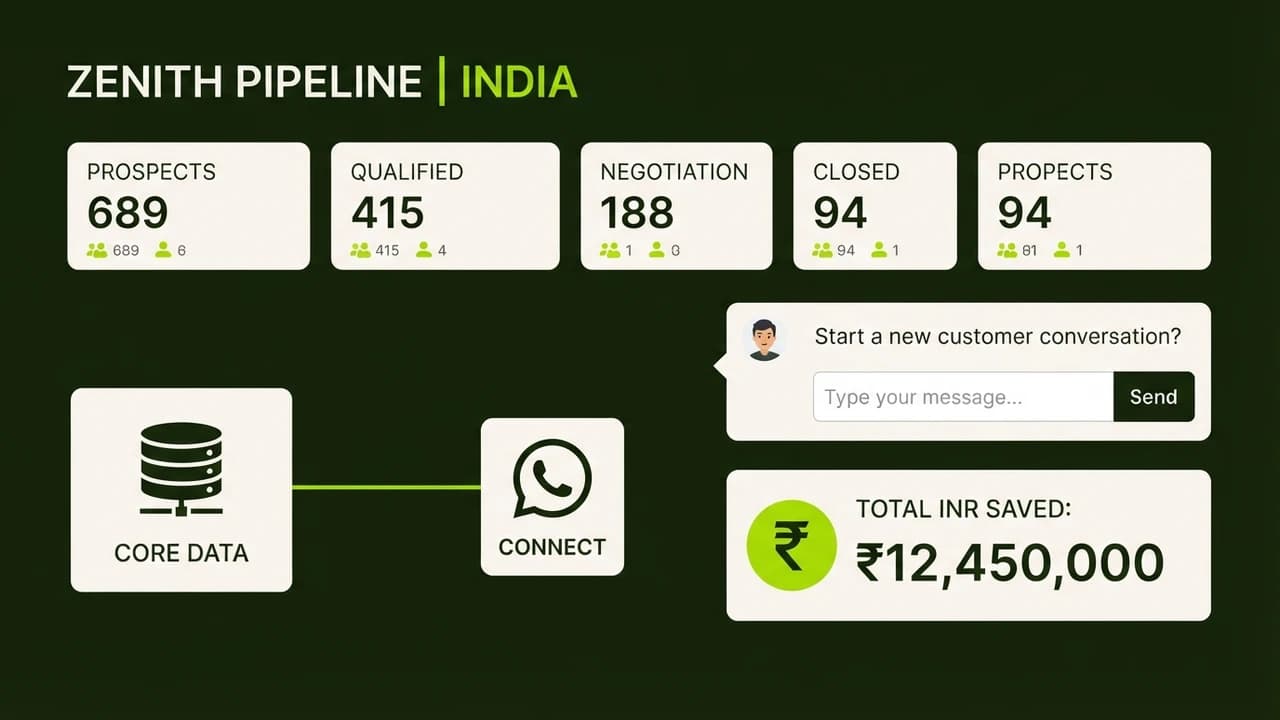
1. Dashboard showing four metric cards: Total Active Clients, Pipeline Value (in ₹), Pending Follow-ups, and Closed Deals.
2. Searchable table listing clients with columns: Company Name, Contact Person, WhatsApp Number, GSTIN, Stage (Lead, Proposal Sent, Negotiation, Closed Won), Value (INR), and Last Contact Date.
3. Color-coded status badges for each stage.
4. Modal form to add new records with field validation for Indian mobile numbers (10 digits) and GSTIN.
Design: Clean, minimal slate-green and cream palette.
The platform renders a fully interactive web application in your browser in two minutes.
Step 3: Connect Supabase for Cloud Storage (8 Minutes)
Create a free account at supabase.com. In Lovable or Bolt, click Connect Supabase. The platform executes database migrations automatically, generating tables for clients, interactions, and quotations. Add a test client record through the form and refresh the page to verify cloud persistence.
Step 4: Add Indian Business Features and WhatsApp Actions (7 Minutes)
Iterate through simple conversational prompts:
- WhatsApp Messaging: "Add a green WhatsApp icon button next to each client phone number. Clicking it opens
https://wa.me/91[phonenumber]?text=Hello [Contact], following up on our proposal." - GST Validation: "Ensure the GSTIN input converts letters to uppercase automatically and verifies standard 15-character alphanumeric format."
- Currency Formatting: "Display all financial figures formatted with Indian numbering conventions (lakhs and crores) with the ₹ symbol."
Step 5: Deploy to a Live Custom Domain (5 Minutes)
Click Publish to deploy your app on Netlify or Vercel. Connect your private domain (such as crm.yourcompany.in) via simple DNS settings, giving your team secure mobile and desktop access.
Real Indian Case Study: How a Bhiwandi Logistics Firm Saved ₹1.5 Lakh
TransFast Logistics is an independent freight forwarding consultancy in Bhiwandi, Maharashtra, managing transportation logistics between Nhava Sheva port and warehousing hubs across Thane and Pune.
The Operational Challenge
The firm was managing 120 shipping clients on messy Google Sheets. Disorganized rows caused dispatchers to miss follow-ups, resulting in an estimated ₹3,20,000 in lost contracts quarterly. A Mumbai software agency quoted ₹1,50,000 upfront plus ₹15,000 monthly maintenance. Off-the-shelf CRMs quoted ₹8,500 monthly for five dispatchers with features the team did not need.
The Vibe Coding Solution
Founder Rajesh Sawant used Bolt.new and Supabase on a Saturday morning:
- Plain-English Prompts: Described his exact dispatch workflow, container numbers, customs clearance dates, and transporter contact cards.
- Instant Team Database: Connected Supabase to store client profiles and active container manifests.
- 1-Click WhatsApp Dispatch: Added a button generating automated truck arrival alerts to warehouse managers over WhatsApp.
- Fast Turnaround: The functional CRM was built, tested, and deployed to team members in 38 minutes.
Financial and Operational Results
- Agency Cost Avoided: Saved the ₹1,50,000 development quote completely.
- Monthly SaaS Savings: Avoided ₹8,500 monthly subscription fees. The CRM runs on Supabase's free tier and free hosting, costing ₹0 per month.
- Team Adoption: All five dispatchers adopted the tool within 24 hours because the interface mirrored their exact daily vernacular.
- Zero Lost Follow-ups: Automated follow-up date flags recovered ₹4,80,000 in recurring freight renewals in the first quarter.
5 Common Mistakes Non-Coders Make During Vibe Coding
To keep your vibe coding projects smooth and bug-free, avoid these five common missteps:
1. Writing Massive Mega-Prompts
Do not paste a 10-page specification into your first prompt. Prompt engines work best with modular development. Start with the core table layout, verify the visual interface, and then request individual features one by one.
2. Forgetting Backend Database Persistence
An interface generated by AI often stores data in local browser memory by default. Always instruct the AI to connect a real backend like Supabase before entering real client records, otherwise data disappears upon browser refresh.
3. Neglecting Field Validations and Error States
Instruct the tool to handle empty fields, invalid phone numbers, and network errors gracefully. Ask for confirmation modals before deleting records to prevent accidental data loss.
4. Overcomplicating Features Beyond Daily Needs
The primary benefit of a custom internal tool is simplicity. Resist prompting for complex automated email sequences or chatbots on day one. Build what your team uses today, and iterate as needs expand.
5. Skipping Regular Code Backups via GitHub
Platforms like Lovable and Bolt let you connect a GitHub repository with one click. Always sync your project to GitHub to ensure you own your source code and can roll back unwanted edits at any time.
Build Websites and Web Apps With Zero Coding at Zero To AI
Learning to build custom internal tools through vibe coding gives Indian professionals, agency owners, and entrepreneurs complete creative autonomy over their software needs. Instead of waiting on software agencies or paying exorbitant monthly SaaS fees, you can build and launch working applications in an afternoon.
At Zero To AI, we teach non-technical professionals how to master vibe coding and visual AI tools through practical masterclasses.

Learn to build AI workflows that handle your busywork — live sessions, real projects, zero code.
See the courseBeginner-friendly