.jpg&w=1080&q=75)
How to Build a WhatsApp AI Patient Booking Bot for Indian Dental Clinics

How to Build a WhatsApp AI Patient Booking Bot for Indian Dental Clinics
Automating dental appointment scheduling via WhatsApp AI eliminates front-desk reception bottlenecks, reduces missed visits by 55%, and captures patient bookings around the clock without custom software development.
For dental practices in cities like Delhi, Bengaluru, Mumbai, and Hyderabad, missed phone calls during clinical procedures represent lost revenue. When prospective patients with toothaches or cosmetic inquiry questions reach an unanswered clinic line during peak evening hours, they immediately book an appointment with a nearby competing clinic.
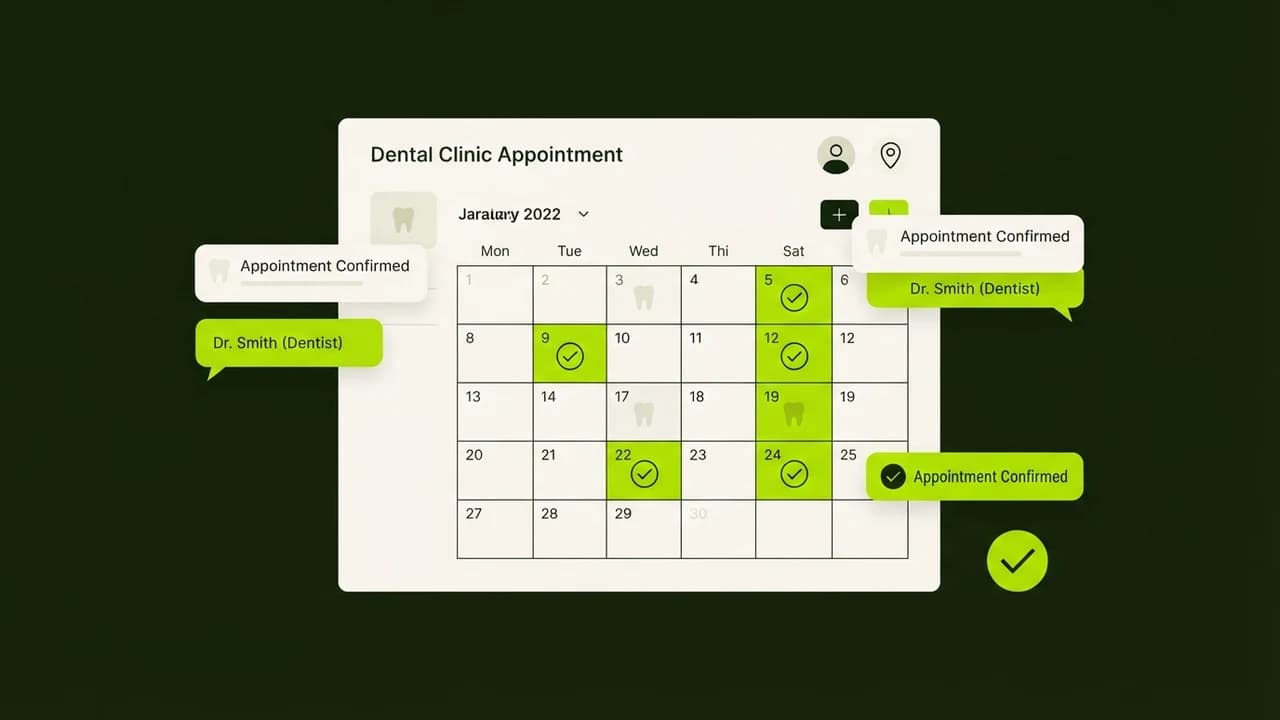
By deploying an automated WhatsApp AI booking assistant using Make.com and ChatGPT, Indian dental clinics can qualify treatment needs, display real-time calendar availability, and confirm patient appointments instantly without forcing dental surgeons to manage phone calls during surgery.
Traditional Clinic Reception vs Automated WhatsApp AI
Operational Feature | Traditional Clinic Receptionist | Automated WhatsApp AI Booking Bot |
|---|---|---|
Response Window | 10:00 AM to 7:00 PM (Clinic Hours) | 24 Hours / 7 Days a Week Instant |
Simultaneous Patient Queries | 1 Patient at a time (busy tones) | Unlimited concurrent patient chats |
Appointment Confirmation Speed | 5 to 10 minutes of manual calling | Under 30 seconds via WhatsApp chat |
No-Show Rate | 25% to 35% typical industry average | Under 10% with automated reminder pings |
Monthly Overhead Cost | ₹18,000 to ₹25,000 receptionist salary | Under ₹1,500/month in API & workflow fees |
Core Functional Modules for Dental Practice Automation
1. Conversational Triage and Treatment Classification
The AI assistant greets the patient warmly and categorizes their clinical requirement:
- Root Canal Treatment (RCT) / Acute Pain
- Routine Teeth Cleaning and Scaling
- Orthodontic (Invisalign / Braces) Consultation
- Pediatric Dental Checkup
{
"triage_event": "Inbound Patient Consultation",
"patient_name": "Rohan Deshmukh",
"symptom": "Molar pain on lower right side",
"recommended_doctor": "Dr. Sneha Patil (Endodontist)",
"urgency_tier": "High - Same Day Evaluation Required"
}
2. Live Calendar Slot Selection
The workflow queries your Google Calendar or clinic management system to present available 30-minute consultation windows for the requested specialist.
3. Automated Pre-Appointment Preparation & Clinic Location Dispatch
Upon confirmation, the bot dispatches a clean Google Maps location pin, dedicated parking directions, and pre-procedure advice (e.g., fasting or medication disclosures).
4. Automated 3-Hour Attendance Reminder
Three hours before the appointment, the assistant sends an interactive confirmation card asking the patient to reply with 1 to confirm or 2 to reschedule, virtually eliminating empty doctor chairs.
Step-by-Step Setup: Zero-Code Dental Bot in 45 Minutes
Inbound WhatsApp Message ──> Make.com Webhook ──> OpenAI GPT-4o-mini Triage ──> Google Calendar Reservation ──> WhatsApp Confirmation- Step 1: Acquire WhatsApp Business API Credentials: Register your clinic phone number through an approved business solutions provider such as Wati, Interakt, or AiSensy.
- Step 2: Build the Make.com Scenario Router: Configure a webhook listener that captures incoming patient messages and extracts sender telephone numbers and text bodies.
- Step 3: Define Clinical Persona Prompt:
"You are the virtual patient care coordinator for SmileCraft Dental Clinic. Your objective is to help patients identify their treatment requirements and book a 30-minute consultation with Dr. Sneha or Dr. Rohan. Maintain an empathetic, professional tone. Never prescribe medications or give medical diagnoses."
- Step 4: Integrate Calendar Booking Actions: Connect the Google Calendar module to verify empty slots and insert patient events with telephone and name details.
- Step 5: Configure Patient Follow-Up Automation: Set up a delayed scheduler trigger that pings patients 24 hours after treatment to ask about pain levels and request a Google Review.
Master No-Code AI Automation for Your Business
Ready to build autonomous patient acquisition engines, client onboarding workflows, and operational chatbots without writing a single line of code?
- Learn how to deploy business-grade automations in our hands-on course: Build Your First AI Agent.
- Discover how agencies and consultants build high-margin AI automation systems for local businesses in the AI Revenue System.

Learn to build AI workflows that handle your busywork — live sessions, real projects, zero code.
See the courseBeginner-friendly