.jpg&w=1080&q=75)
How to Automate Client Onboarding for Indian Marketing Agencies Using n8n (No-Code)

How to Automate Client Onboarding for Indian Marketing Agencies Using n8n (No-Code)
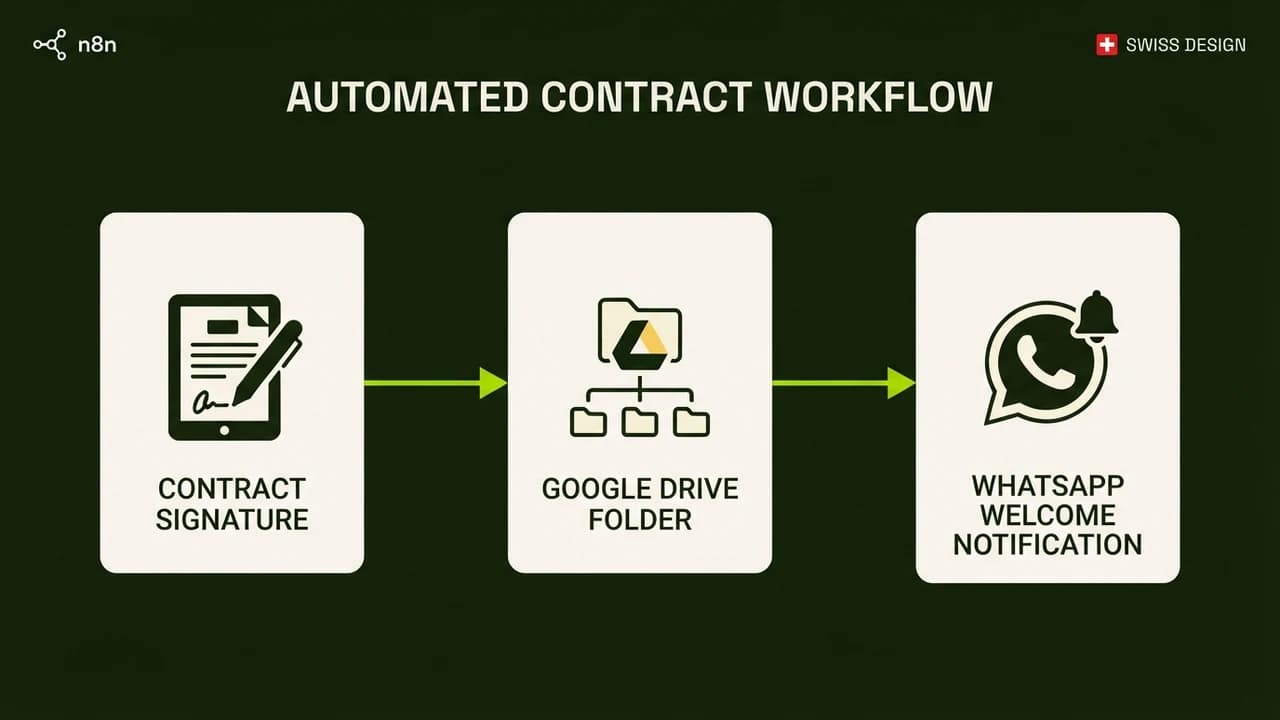
Indian digital agencies can eliminate manual paperwork and onboard new clients in under 90 seconds by deploying an automated, self-hosted n8n workflow. Manual onboarding creates friction, delays project kickoffs, and projects an unorganized impression to premium retainers.
When an Indian marketing agency signs a new client paying ₹50,000 to ₹2,00,000 per month, the first 48 hours set the tone for the entire relationship. In most boutique agencies, onboarding is a messy manual scramble: sending PDF agreements via email, waiting for manual signatures, creating shared Google Drive folders by hand, setting up Slack or WhatsApp groups, and chasing GST details for billing.
This chaotic process wastes 3 to 5 hours of account management time per client and frequently results in missing access credentials. By building a unified no-code workflow using n8n, you can automate the entire chain the instant a payment link or proposal is approved.
Manual Agency Onboarding vs Automated n8n Pipeline
Operational Stage | Traditional Manual Onboarding | Automated n8n Architecture |
|---|---|---|
Service Agreement | Drafting Word file, emailing PDF, manual printing | Instant auto-populated DocuSeal or SignRequest webhook trigger |
Asset Storage Setup | Account manager manually creates 5 Google Drive folders | n8n creates nested Drive folders with standardized brand permissions |
Client Intake Questionnaire | Long messy email thread with missing passwords | Single Tally.so form writing directly to Notion or Airtable CRM |
Welcome & Communications | Manual WhatsApp ping sent 6 hours later | Instant automated WhatsApp Business API welcome message with portal link |
Total Setup Time | 3 to 5 business hours across 2 days | 75 seconds total automated execution |
The 4-Node n8n Architecture Blueprint
n8n is an open-source workflow automation platform that you can self-host on an Indian cloud VPS (like Hetzner or Hostinger) for under ₹450 per month, giving you unlimited workflow executions without Zapier's punitive monthly fees.
Node 1: Intake Trigger (Tally.so or Typeform Webhook)
The workflow initiates when the newly signed client completes your standardized intake form. The form captures:
- Legal company name, GSTIN, and registered billing address.
- Point-of-contact details (Name, WhatsApp number, Email).
- Brand assets (Logo vector files, brand guidelines link, font packages).
- Ad account IDs and social media handle accesses.
Node 2: Automated Google Drive Workspace Generation
Once the webhook fires, the n8n Google Drive node executes:
- Creates a parent folder:
[Client Name] - Workspace. - Creates standardized sub-folders:
01_Brand_Assets & Fonts02_Monthly_Content_Calendars03_Ad_Creatives_Raw04_Performance_Reports05_Invoices_and_Contracts
- Automatically shares folder view permissions with the client's email address.
Node 3: Notion CRM & Project Kickoff Sync
The payload pushes to your Notion workspace:
- Creates a new entry in your
Active Clientsdatabase. - Auto-assigns the dedicated account manager and performance lead.
- Populates the pre-configured project sprint board with Day 1 milestone tasks (for example: Meta Pixel Audit, Competitor Ad Teardown, Creative Briefing).
Node 4: WhatsApp Business API Confirmation
Using a WhatsApp Business API provider (such as Wati or AiSensy), the final node sends a clean, professional welcome template to the founder's WhatsApp:
"Hi Rahul, welcome to the agency family! Your dedicated workspace has been initialized. Access your project dashboard here: [Notion Link] and upload any additional assets to your shared Drive: [Drive Link]. Our kickoff call is scheduled for tomorrow at 3:00 PM."
3 Critical Security Best Practices for Agency Workflows
- Never Store Client Passwords in Plaintext: Use a secure password portal (like 1Password for Teams) rather than storing client Meta or Google credentials in plain text fields in Notion.
- Implement Input Validation for GSTIN: Add a regex validator on your intake form (
^[0-9]{2}[A-Z]{5}[0-9]{4}[A-Z]{1}[1-9A-Z]{1}Z[0-9A-Z]{1}$) to prevent invalid tax identification from failing your invoicing pipeline. - Webhook Secret Verification: Protect your n8n webhook URL with an authentication header to ensure random web crawlers cannot trigger mock client onboarding tasks.

Learn to build AI workflows that handle your busywork — live sessions, real projects, zero code.
See the courseBeginner-friendly