

Claude Automations for Small Business: Non-Coder Operations Guide

Indian small businesses build an efficient claude for business workflow by uploading operational standard operating procedures into Claude Projects to automate customer inquiries, document extraction, and draft quotes without writing code. This no-code setup saves founders 15 hours every week while keeping full human oversight on every commercial decision.
Last verified: 14 November 2026
Most small business owners in India spend half their workday trapped in low-leverage administrative tasks. You answer the same customer pricing inquiries on WhatsApp, copy details from vendor invoices into spreadsheets, and draft repetitive project proposals. When operational volume increases, founders usually hire more administrative assistants or work twelve-hour days.
Hiring additional staff increases monthly payroll before revenue catches up. Writing custom software requires expensive developers who build brittle scripts that break whenever your workflow changes.
Establishing a practical claude for business workflow provides a simple third option. Using built-in tools like Claude Projects and structured prompts, you turn Anthropic's language model into a reliable operations coordinator. You do not need a computer science degree, an API key, or terminal commands to automate your core business routines.
Why Non-Technical Indian Businesses Need a Claude Operations System
Small businesses run on context that lives inside the founder's head. When a client emails asking for customized service pricing, you know which margins to protect, which payment terms apply, and which service packages fit their industry. If an assistant handles the inquiry, they either ask you ten questions or send an inaccurate response.
Claude excels at parsing messy, unstructured business context. Unlike traditional rule-based automation tools that require strict formatting, Claude reads unstructured PDFs, handwritten invoice scans, and informal WhatsApp voice note transcripts.
When you configure Claude with your exact operating boundaries, it acts like an experienced operations manager. It reads incoming client inquiries, compares requested deliverables against your standard rate card, and drafts an accurate response ready for your review.
Non-technical teams benefit because the interface relies entirely on plain English or Hinglish instructions. If your pricing policies change in November 2026, you update a text document inside your project folder rather than rewriting code.
Claude Free vs Claude Pro vs Claude Team: Real Costs and Indian Billing
Selecting the right subscription tier determines how smoothly your business operations run. Anthropic offers three main tiers suitable for solopreneurs and small operations teams.
Plan Tier | Official Price (USD) | Approximate Cost in INR (excl. GST) | Context & Feature Limits | Best Operational Fit |
|---|---|---|---|---|
Claude Free | $0 per month | ₹0 | Standard context window, rolling 5-hour usage limits, basic Projects access | Solo founders testing basic prompt templates |
Claude Pro | $20 per month ($17/month billed annually) | ₹1,750 to ₹1,800 per month | 5x usage vs Free tier, 200,000 token context window, priority peak access, full Artifacts | Solopreneurs and agencies running daily business operations |
Claude Team | $25 per seat/month ($20/seat billed annually, min 2 seats) | ₹2,200 to ₹4,400 per month total | Shared company project libraries, admin management console, centralized team billing | Small agencies with 2 to 10 team members sharing workflows |
Pricing data verified on 14 November 2026 via [official Anthropic pricing documentation](https://www.anthropic.com/pricing).
For Indian small businesses, paying for international SaaS tools often causes payment failures due to Reserve Bank of India recurring e-mandate rules. To prevent transaction declines, ensure your corporate credit card or business debit card has international online transactions enabled with appropriate limit settings.
For solo consultants, a single Claude Pro license at approximately ₹1,800 per month provides enough daily generation volume to handle client intake and proposal generation. Agencies with three or more staff members benefit from Claude Team, which enables shared workspace folders so junior coordinators draft documents using approved management SOPs.
Setting Up Your Company Brain with Claude Projects in 15 Minutes
The foundation of a reliable claude for business workflow is the Projects feature available on paid tiers. According to the Anthropic Projects guide, each project supports up to 200,000 tokens of reference material, allowing you to upload your company's entire operating handbook.
Follow this setup structure to build your company repository:
- Create an Operations Project: Log in to Claude, navigate to the Projects tab in the left sidebar, and select "New Project". Name it "Operations Brain - Zero To AI Operations".
- Upload Core Business Knowledge: Upload four distinct text or PDF documents into the project knowledge base:
- Master Service Agreement & Payment Terms: Include your standard payment schedules, refund terms, and GST invoicing requirements.
- Rate Card & Packaging Guide: List your exact service packages, hourly consultation rates, and discount boundaries.
- Customer Communication Guidelines: Define your communication tone, greeting style, and forbidden commitments.
- Team Roles and Escalation Rules: Outline which customer requests require direct founder approval.
- Configure Custom System Instructions: Enter a permanent prompt instructing Claude on its operational role. For example: "You are the operations coordinator for our firm. Whenever reviewing client inquiries or drafting quotes, reference our uploaded rate card and communication policy. Never quote rates below our minimum package pricing. Flag any rush deadline requests for founder review."
Once configured, every conversation started inside this project inherits your business rules automatically. You never need to re-paste your pricing guide or explain your business model again.
The 3-Step No-Code Email and Quote Automation Workflow
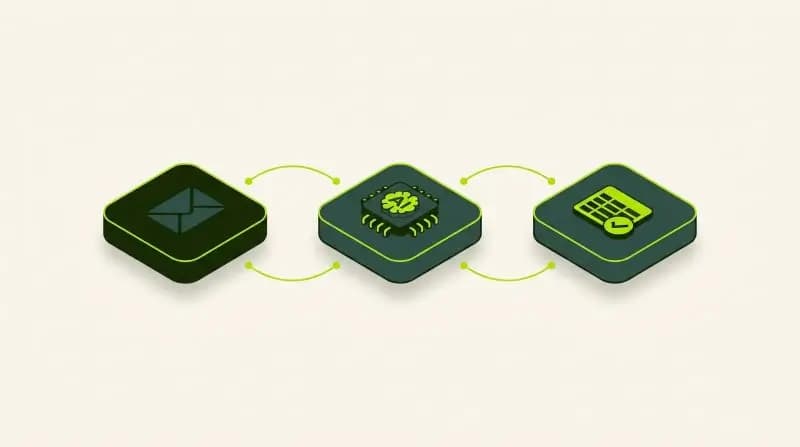
Once your project repository is active, handling complex commercial communication takes less than two minutes per client. Here is the exact three-step daily workflow:
- Step 1: Capture the Raw Client Inquiry
Copy the incoming client email or WhatsApp inquiry message directly. Do not worry about spelling errors, voice dictation mistakes, or messy formatting.
- Step 2: Run the Triage and Quote Prompt in Claude
Paste the raw message into your Operations Project using this prompt template:
*"Analyze this incoming client inquiry. Perform three specific tasks:
First, extract the client's stated goals, requested timelines, and budget constraints.
Second, check our uploaded Rate Card and suggest the best matching service tier with accurate rupee pricing.
Third, draft a polite, professional reply email following our Communication Guidelines. Highlight any missing client details in bold brackets."*
- Step 3: Review, Personalize, and Send
Claude inspects the project documents and generates a polished draft email alongside an internal summary. You review the suggested pricing, confirm delivery dates, and click send.
This human-in-the-loop workflow eliminates the anxiety of writing proposals from scratch while ensuring no junior employee quotes unauthorized discounts. If your operations grow, you can connect Claude directly to your lead capture forms using visual automation tools like the n8n Anthropic integration to format incoming inquiries automatically.
Converting Messy Voice Notes and Chats into Bulletproof SOPs
One of the largest bottlenecks for Indian small businesses is documentation. Founders know how to complete complex tasks, but writing detailed step-by-step Standard Operating Procedures takes hours they do not have.
You can automate SOP creation using free voice recorder tools alongside Claude:
- Record a quick voice note on your phone as you complete a task. Talk through every action in simple English or Hinglish: "First I open the GST portal, then I click returns dashboard, then I download the JSON file, and then I check table 8A."
- Transcribe the audio using your phone's built-in voice-to-text dictation or a free online transcription tool.
- Paste the rambling transcript into Claude with the following instruction:
"Convert this raw transcript into a structured Standard Operating Procedure. Format with a clear Objective, Prerequisites, Step-by-Step Instructions with numbered steps, Common Errors to avoid, and a Final Verification Checklist."
In thirty seconds, Claude cleans up verbal fillers, organizes actions into chronological stages, and produces a professional training document. You can store these SOPs directly in your project folder, enabling your team to execute tasks independently. To master building comprehensive agent workflows for your team, explore our build your first AI agent course.
Essential Checklist for Small Business AI Operations
Before deploying Claude across your daily business operations, review this operational safety checklist:
- Keep sensitive credentials, banking passwords, and customer debit card numbers out of project knowledge documents.
- Always maintain human verification on outgoing commercial contracts, quotes, and legal documents.
- Set calendar reminders to review and update your uploaded rate cards whenever your service offerings change.
- Test your prompt instructions with edge-case scenarios, such as requests for impossible deadlines or unapproved discounts.
- Start with a single repetitive administrative process, like email triaging, before expanding into multi-stage operations.
- Train team members on prompt phrasing so they extract reliable answers from project knowledge bases.
- For structured learning paths on practical office tools, review Zero To AI practical courses designed specifically for non-coders.
Common Mistakes to Avoid in Small Business AI Automation
Many business owners abandon AI tools because their initial attempts produce inaccurate or generic results. Avoid these common operational traps:
First, avoid using a single general chat window for completely different operational departments. If you ask marketing questions, financial analysis, and customer support queries inside the same conversation, the context degrades. Create separate Projects for distinct business functions: one for Client Proposals, one for Internal SOPs, and one for Vendor Invoicing.
Second, do not upload outdated company policies. If your project contains last year's service prices alongside updated rates, Claude may accidentally quote old numbers. Audit your project files monthly and delete superseded documents.
Third, never rely on automated text generation without human confirmation. Claude speeds up document preparation by ninety percent, but your professional judgment ensures each client communication reflects your personal business standards.
Learn to build AI workflows that handle your busywork — live sessions, real projects, zero code.
See the courseBeginner-friendly