

Festive Bakery and Cake Pre-Order Automation: Step-by-Step No-Code Setup

Implementing festive bakery cake pre order automation no code allows independent cake artists, home bakers, and patisserie owners to capture holiday dessert orders, reserve pickup time slots, and verify UPI payments automatically. By combining online ordering forms, real-time inventory spreadsheets, and automated WhatsApp order confirmations, bakery owners eliminate manual messaging chaos and maximize festive kitchen capacity.
Last verified: 23 November 2026
Between mid-December and New Year Day, bakeries across Mumbai, Bengaluru, Delhi, and Kolkata experience an overwhelming flood of customer inquiries. Customers message across WhatsApp, Instagram direct messages, and phone calls requesting traditional rich fruit cakes, personalized Christmas cupcakes, and New Year Eve dessert hampers.
However, handling holiday order rushes through unorganized chat threads creates severe operational chaos. Bakers spend hours scrolling through chat logs, deciphering customer delivery addresses, verifying blurred UPI payment screenshots, and manually checking whether kitchen capacity exists for December 24th evening deliveries. A single misplaced order slip or forgotten eggless preference can ruin a customer celebration and trigger damaging online reviews.
In November 2026, relying on manual chat notebooks during festive seasons is completely unnecessary. Building a reliable festive bakery cake pre order automation no code system allows your bakery to run smoothly, collect verified payments upfront, and deliver flawless holiday orders without hiring administrative staff.
The Operational Pain of Manual Festive Baking Orders
Independent bakery owners frequently encounter three major operational bottlenecks during holiday rushes:
- The WhatsApp Chat Quagmire: Answering repetitive questions about menu pricing, cake weights, flavor options, and ingredient lists consumes three to four hours daily that should be spent baking and decorating.
- Overbooking Delivery Slots: Without centralized real-time slot limits, bakers accidentally accept more orders for December 24th and December 31st than their ovens and delivery drivers can physically fulfill.
- Unverified Payment Screenshots: Fraudulent or pending UPI screenshots slip through unnoticed during busy kitchen hours, resulting in unpaid custom cakes and lost ingredient expenses.
Setting up automated payment verification via Razorpay Payment Links ensures every order is backed by confirmed bank funds before baking begins.
The Core No-Code Pre-Order Stack
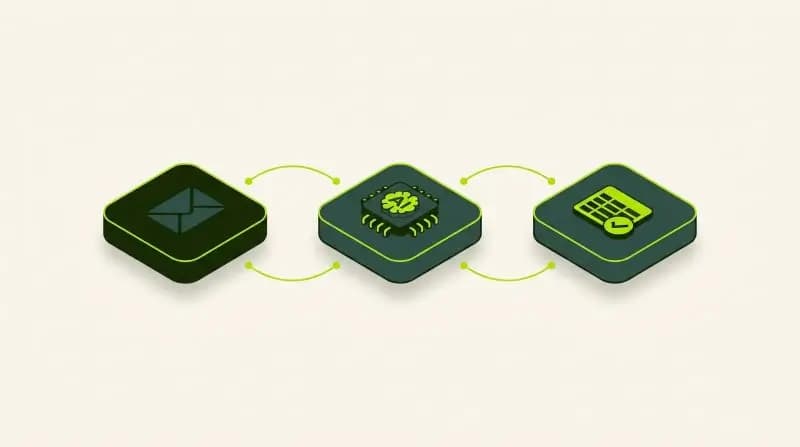
You can assemble a complete festive bakery cake pre order automation no code pipeline in less than two hours using four standard tools:
- Customer Pre-Order Form: A clean visual order form (built on Tally, Google Forms, or Jotform) featuring photos of your holiday dessert menu, cake sizes, flavor selections, custom dietary notes, and pickup date pickers.
- Dynamic Slot Capacity Manager: A Google Sheet backend that tracks daily order volume and automatically disables specific pickup dates once oven limits are reached.
- Payment Verification Engine: A direct UPI gateway integration that accepts Google Pay, PhonePe, and Paytm, returning instant transaction confirmations.
- Automated Messaging Bot: An n8n or Make workflow that triggers customized WhatsApp order receipts with unique order numbers, pickup directions, and delivery tracking.
To learn how small business owners build visual automation pipelines that connect forms to messaging channels, inspect our step-by-step training Build Your First AI Agent in Just 40 Minutes.
Step-by-Step Implementation Blueprint
Follow these practical steps to automate your holiday cake pre-orders before seasonal demand peaks:
Step 1: Design Your Visual Festive Menu Form
Open Tally or Google Forms and build your holiday order catalog. Categorize your items into clear packages:
- Traditional Plum and Fruit Cakes (500g, 1kg)
- Custom Christmas Themed Bento Cakes
- Gourmet Cookie and Brownie Gift Hampers
- New Year Celebration Showstopper Cakes
Include mandatory choice fields for Dietary Preferences (Eggless, Gluten-Free, Vegan) and a dedicated text field for Custom Cake Inscription Message.
Step 2: Establish Slot-Based Delivery Limits
To prevent festive kitchen burnout, establish hard daily production caps:
- December 23rd: Maximum 40 Cakes
- December 24th (Christmas Eve): Maximum 60 Cakes
- December 30th: Maximum 45 Cakes
- December 31st (New Year Eve): Maximum 75 Cakes
Configure your form tool to decrement available slots in real time. Once December 24th reaches 60 orders, the form automatically marks that date as Sold Out, protecting your kitchen from catastrophic delays.
Step 3: Embed Instant UPI Payment Links
Connect your form submission directly to a payment link. When the customer submits their order, the form displays an instant UPI QR code or redirects them to a secure checkout page. Orders remain in Pending status until the webhook confirms successful fund capture.
Step 4: Automate WhatsApp Order Confirmations
When payment succeeds, an n8n webhook triggers the Meta WhatsApp Business Platform to send an immediate branded confirmation message to the customer:
"Thank you for your festive order! Your Cake Order ID is BAKE-2026-441. Your pickup slot is confirmed for December 24th between 3:00 PM and 6:00 PM. We have noted your eggless preference and custom inscription."
For broader guidance on small retail sales systems, explore our guide on festive AI sales automation for Indian retailers and learn how AI automation for small business in India drives measurable profitability.
Setup Phase | Component | Software Tool | Configuration Time | Expected Cost |
|---|---|---|---|---|
Phase 1 | Pre-Order Form | Tally Forms / Google Forms | 30 Minutes | Free |
Phase 2 | Slot Inventory Ledger | Google Sheets | 20 Minutes | Free |
Phase 3 | Payment Verification | Razorpay / Cashfree | 25 Minutes | Standard 2% per txn |
Phase 4 | WhatsApp Notifications | n8n / Gallabox | 35 Minutes | Under 400 Rupees |
Phase 5 | Kitchen Production Board | Notion / Trello | 15 Minutes | Free |
Managing Kitchen Production and Delivery Routing
An automated pre-order system delivers its greatest value inside the kitchen:
- Automated Daily Ingredient Lists: By running a simple pivot table in Google Sheets, your system calculates exact ingredient totals needed for tomorrow (for example: 14 kg flour, 8 kg butter, 22 kg soaked dry fruits), eliminating wasteful last-minute grocery runs.
- Printable Baker Workstation Cards: The system generates standardized preparation cards for your kitchen team displaying cake flavor, weight, inscription text, and packaging tier.
- Dispatch and Rider Coordination: On pickup day, your system sends automated WhatsApp alerts to local delivery riders or Swiggy Genie/Dunzo couriers with pickup time windows and customer drop coordinates.
To complement cake pre-orders with festive retail promotions, review our step-by-step breakdown of building an automated digital gift voucher system with no code and master core automation skills through our n8n tutorial for non-coders.
Handling Custom Decorator Requests and Allergen Safety
For artisanal bakers, customized holiday cakes often require specialized ingredient handling and customer verification:
- Eggless and Vegan Kitchen Partitioning: Configure your automated ordering form with clear allergen checkboxes. When an order requests eggless, nut-free, or vegan preparation, the system tags the kitchen ticket with high-visibility color codes in your Google Sheet, preventing cross-contact errors during busy production hours.
- Automated Reference Image Uploads: Enable customers to attach sample cake photos directly through the form. The automation uploads the image file to a designated Google Drive folder titled by order number, allowing your cake decorator to view the reference on a kitchen tablet without scrolling through personal chat logs.
- Pickup Reminder WhatsApp Broadcasts: Send an automated reminder message to the customer three hours before their scheduled pickup slot. Include a Google Maps pin of your bakery location and helpful parking instructions to ensure smooth storefront operations.
Learn to build AI workflows that handle your busywork — live sessions, real projects, zero code.
See the courseBeginner-friendly