
Multi-Turn AI Video Prompts: How to Edit with Omni 1.2

Multi-Turn AI Video Prompts: How to Edit with Omni 1.2
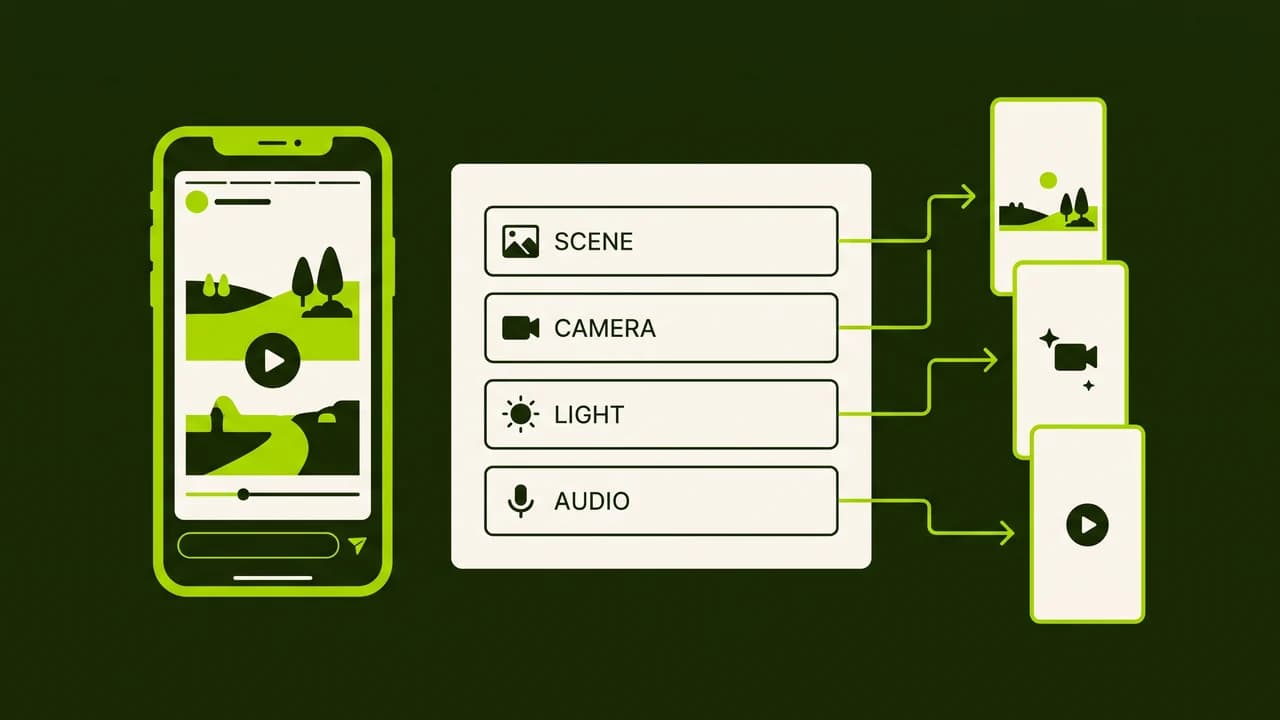
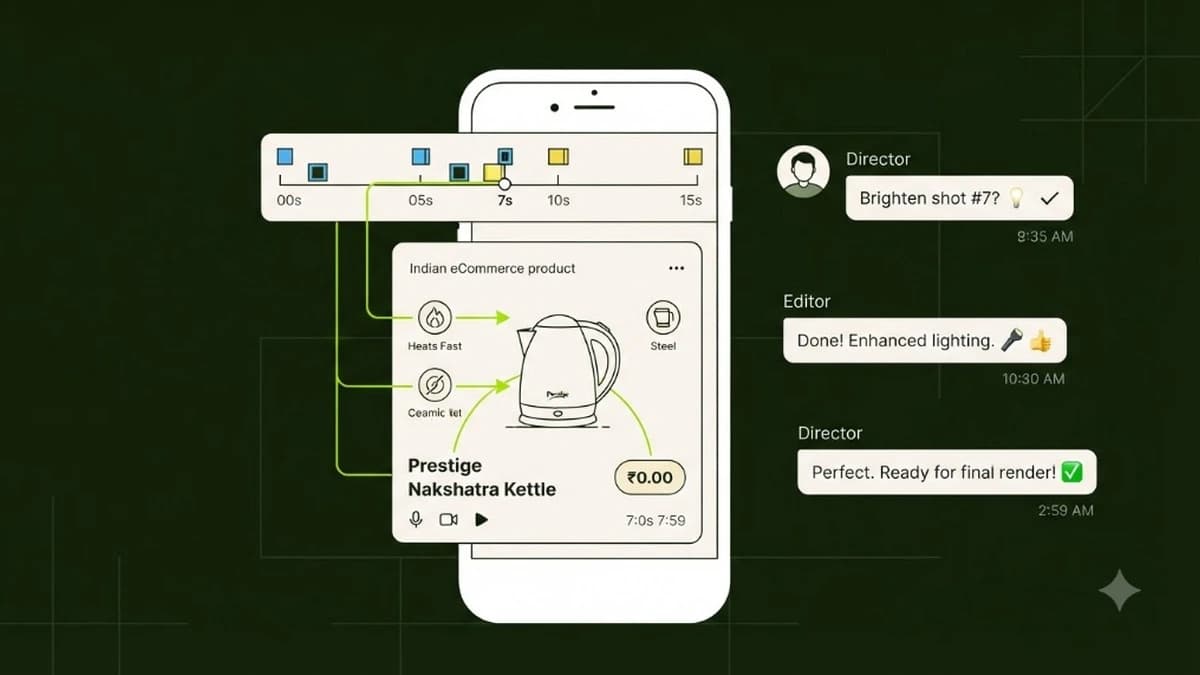
Multi-turn AI video prompting with Google Omni 1.2 allows creators to iteratively edit existing video clips through chat instructions—such as altering background scenery, tweaking studio lighting, or swapping product packaging—without regenerating the entire file. This conversational editing workflow preserves frame consistency while reducing generation costs and credit burn by over 70%.
The fundamental limitation of first-generation AI video models (such as Runway Gen-2, early Pika, and Sora) has always been their single-shot nature. You wrote a detailed paragraph of text, held your breath for two minutes, and received a video clip. If the character's facial expression was perfect and the camera motion was flawless, but the table in the background was blue instead of brown, you had no way to fix just the table.
Your only recourse was to rewrite the prompt and click generate again. In doing so, the model would roll a completely new random seed: the table might turn brown, but the character’s face would morph, the lighting would change, and the magic of the original clip was lost forever.
With Google Gemini Omni 1.2 Flash, video creation moves from random seed generation into conversational visual editing.
How Omni 1.2 Maintains Latent Memory Across Video Turns
Traditional diffusion video models discard their intermediate state representations as soon as a render completes.
Google Omni 1.2 operates differently. It retains a high-dimensional latent representation of the rendered video—including its 3D depth maps, object bounding boxes, and camera motion trajectories—inside its active conversational context window.
[Turn 1: Base Generation] ──► [Latent Memory Stored] ──► [Turn 2: Delta Instruction] ──► [Targeted Inpainted Output]When you issue a follow-up prompt, Omni 1.2 does not generate from scratch. Instead, it computes a mathematical delta between your instruction and the stored latent map:
- If you request a background change, the model keeps the foreground object’s bounding mask locked and diffuses only the background pixels.
- If you request a lighting change, it recalculates surface reflection shaders without altering object geometry or camera paths.
The 4 Core Conversational Delta Types
Understanding the four types of conversational edits allows you to direct Omni 1.2 with surgical precision.
Delta Vector | Primary Function | Example Conversational Chat Instruction |
|---|---|---|
1. Environment Swap | Replaces background while locking subject | "Keep the product bottle locked in place. Replace the slate podium with a polished teakwood table in a sunlit terrace." |
2. Lighting & Color Grade | Adjusts illumination, mood, and shadows | "Keep the entire scene geometry identical. Shift the lighting from flat daylight to warm 3200K golden hour rim lighting." |
3. Camera Motion Retiming | Changes camera speed, angle, or focal depth | "Maintain all scene elements. Slow down the final orbit by 30% and increase background depth of field blur." |
4. Object & Prop Replacement | Swaps secondary accessories or context items | "Keep the model and desk identical. Replace the ceramic coffee mug with a sleek stainless steel water bottle." |
Complete 3-Turn Worked Example: From Raw Photo to Commercial Ad
To see multi-turn prompting in practice, consider an Indian direct-to-consumer brand marketing handcrafted brass home decor.
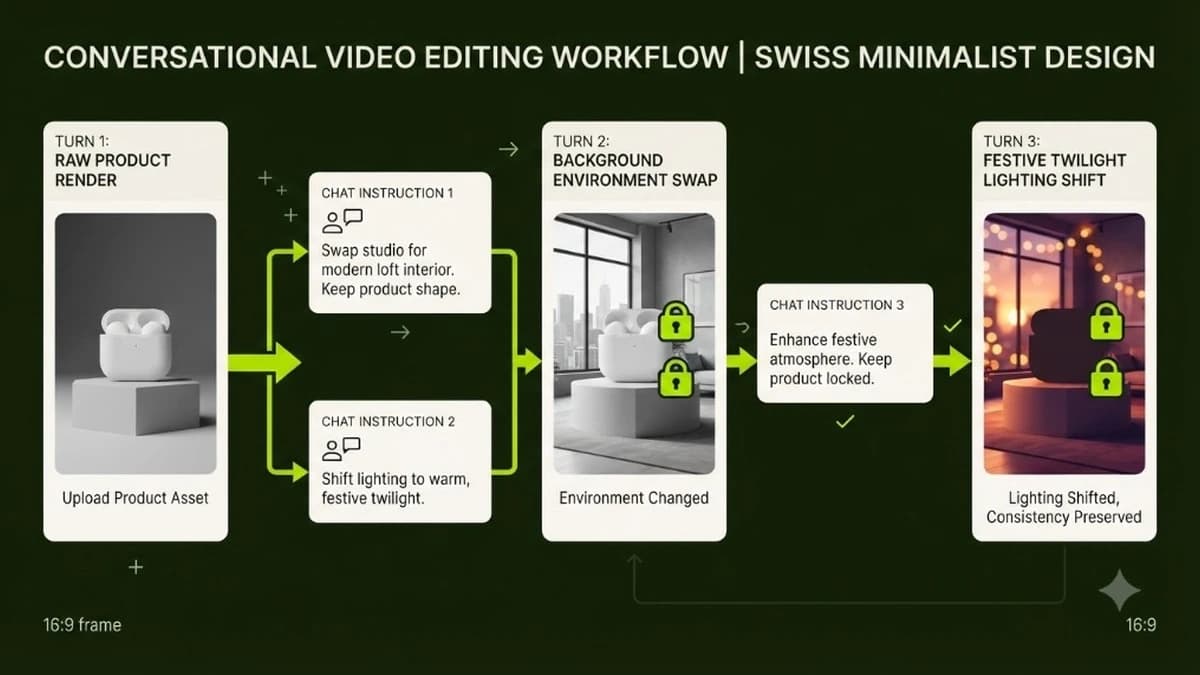
Turn 1: Establishing the Base Composition
The founder uploads a photo of an ornate brass incense burner (dhoop daan) to Google AI Studio:
Turn 1 Prompt:
"Cinematic commercial product video for a handcrafted brass incense burner. Slow dolly-in camera motion toward the burner resting on a plain dark stone pedestal. Soft diffused studio lighting, crisp reflections across the polished brass surface. At 8 seconds, delicate white aromatic smoke begins wafting gently from the perforated lid. Ultra high-resolution, photorealistic, 15 seconds."
Outcome: Omni 1.2 produces a stunning 15-second video. The brass texture and smoke physics look incredible, but the plain dark stone pedestal feels cold and sterile for an Indian festive product.
Turn 2: Swapping the Environment (Delta 1)
Instead of starting over, the founder types directly into the conversational revision bar:
Turn 2 Delta Prompt:
"Keep the brass incense burner, the camera dolly-in path, and the wafting smoke dynamics exactly as rendered. Replace the plain dark stone pedestal with an authentic hand-carved Indian sheesham wood side table, with a few fresh orange marigold petals scattered softly around the base."
Outcome: The stone disappears. The brass burner is now perched on rich, warm sheesham wood with scattered marigolds, while the smoke and camera trajectory remain 100% consistent with Turn 1.
Turn 3: Shifting to Festive Twilight Lighting (Delta 2)
The composition looks authentic, but the brand wants an intimate evening festive mood:
Turn 3 Delta Prompt:
"Keep all objects, wood textures, and motion identical. Transition the lighting from flat studio daylight into warm festive twilight. Add gentle warm amber ambient illumination from small oil diyas glowing softly out of focus in the deep background."
Outcome: The entire video transforms into a cozy, high-converting Diwali commercial ad. Total time spent: 4 minutes. Total cost: ₹0 in Google AI Studio (or under ₹180 via API).
Single-Shot Re-rolls vs Multi-Turn Edits: The Cost Comparison
For an agency or solopreneur producing 20 video ads per month, the financial difference between single-shot tools and conversational editing is staggering:
Operational Metric | Single-Shot Generators (Runway Gen-3 / Pika) | Multi-Turn Conversational (Google Omni 1.2) |
|---|---|---|
Average Rerolls per Approved Ad | 6 to 10 attempts | 1 base + 1 or 2 conversational turns |
Credit Waste on Minor Flaws | 80% of total credits burned | Zero wasted renders (iterative refinement) |
Visual Consistency Retention | Random seed variation (0% retention) | Latent spatial memory (90%+ retention) |
Monthly Production Cost (20 Ads) | ₹8,000 – ₹18,000 in credit packs | ₹1,800 – ₹3,600 (API) or ₹0 (AI Studio) |
Time per Finalized Ad | 45 to 75 minutes | 8 to 15 minutes |
4 Best Practices for Preserving Product and Face Consistency
To maintain brand integrity across multiple conversational turns, follow these four rules:
- Always Anchor with a High-Contrast Reference Image: Upload a crisp, well-lit photo of your product before issuing Turn 1. Omni 1.2 uses this image as its permanent ground truth anchor.
- Change Only One Vector per Turn: Do not ask the model to change the background, swap the product color, speed up the camera, and add a human hand all in one turn. Make edits sequentially: Environment first, Lighting second, Camera motion third.
- Use Explicit Preservation Tokens: Start your conversational instructions with explicit preservation anchors: "Keep the primary subject container and camera track locked..." or "Preserve all foreground elements exactly as rendered..."
- Avoid Ambiguous Relative Pronouns: Instead of typing "make it brighter and move that away", state clearly: "Increase the fill light on the front label by 20% and remove the glass vase on the right side."
To master advanced multimodal AI workflows that generate passive business revenue, discover our complete AI Revenue System.
Learn to build AI workflows that handle your busywork — live sessions, real projects, zero code.
See the courseBeginner-friendly