.jpg&w=1080&q=75)
Tally to WhatsApp Payment Reminders: How Small Businesses Recover Receivables (2026)

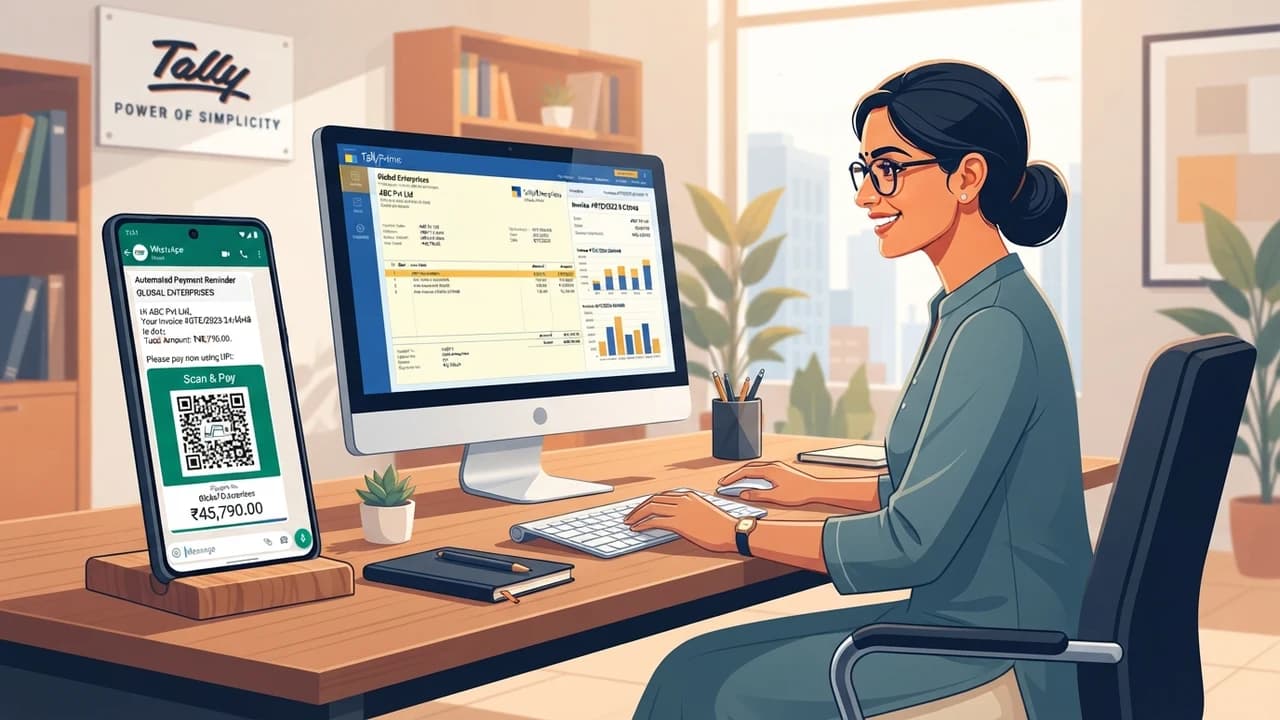
Indian small businesses and MSMEs can cut overdue customer receivables by 65% by connecting Tally Prime to automated WhatsApp payment reminders with instant UPI payment links, recovering cash flow without manual phone calls or awkward collection meetings.
Cash flow delays remain the number one operational headache for Indian distributors, manufacturers, and service providers. Outstanding invoices often sit unpaid for 45 to 90 days simply because following up requires exhausting manual phone calls and formal email notices that accounting personnel hate doing.
Why Manual Payment Follow-Ups Fail in Indian SMBs
Most Indian business owners manage customer credit using standard Tally ledgers. The conventional recovery routine involves:
- Printing out aging ledger summaries every Friday
- Calling accounts departments across 40 different client firms
- Hearing the classic excuse: "Sir, invoice copy was not received, please resend"
- Delaying vendor payments because customer receivables remain stuck
In India, email reminders get buried under hundreds of daily promotional messages. WhatsApp messages, on the other hand, enjoy a 98% open rate and are read within minutes.
The Automated Tally-to-WhatsApp Architecture
Stage 1: Reading Overdue Invoices from Tally Prime
Tally Prime features native XML/ODBC export capabilities. A lightweight desktop connector or a cloud integration layer periodically scans your ledger for invoices that pass their credit term limit (for example, Net 30 days).
The system extracts key data fields:
- Customer business name and proprietor contact number
- Invoice serial number and original billing date
- Outstanding balance amount
- Generated PDF invoice copy
How Does the System Avoid Pestering Trusted Clients?
You can define custom grace periods and VIP exclusions in your workflow rules. If a customer has a 45-day agreed payment cycle or an active dispute flag, the automated reminder engine pauses notifications automatically.
Stage 2: Attaching Instant UPI Payment Links & Dynamic QR Codes
Sending a reminder without a simple payment button forces friction. If the client has to open net banking, add a beneficiary, and wait 30 minutes for cooling periods, they postpone payment again.
Your automation engine generates an instant dynamic UPI payment link (via Razorpay, Cashfree, or ICICI Eazypay) embedded directly in the message. The customer taps the link on their smartphone, their preferred UPI app (Google Pay, PhonePe, or Paytm) opens with the exact invoice amount pre-filled, and they approve payment with their PIN in 10 seconds.
Stage 3: The 3-Tier Polite Escalation Cadence
Aggressive debt collection messages alienate valuable long-term clients. The automated WhatsApp sequence should follow a respectful, tiered structure:
- Friendly heads-up (3 days before due date): "Greetings from [Your Company]. Just a gentle note that Invoice #[1042] for ₹24,500 is due on Monday. PDF attached for your convenience: [UPI Link]"
- Due date reminder (Day 0): "Hi [Client Name], Invoice #[1042] is due today. Tap here to clear via UPI: [UPI Link]. Let us know if you have any questions!"
- Overdue check-in (7 days overdue): "Dear [Client Name], our records indicate Invoice #[1042] remains pending. Kindly review the attached statement or reply here if you require reconciliation assistance."
Stage 4: Automatic Ledger Reconciliation
When the client completes the UPI transaction, the payment gateway webhook informs your automation system. The system logs the payment reference, updates the status column in your shared tracking sheet, and marks the invoice settled. Your accounts team receives an instant alert without having to check bank statements manually.
Quantifiable Financial Impact: Manual vs Automated Recovery
Metric | Manual Phone Follow-Ups | Automated WhatsApp Reminders |
|---|---|---|
Average Days Sales Outstanding (DSO) | 54 days | 22 days |
Staff time spent on collections | 12 hours / week | 30 minutes / week |
Invoice dispute resolution time | 6 – 10 days | Within 24 hours |
Percentage paid via digital UPI | <20% | >70% |
Customer relationship tension | High (awkward collection calls) | Low (polite, objective alerts) |
Implementing This Without Technical Headaches
Transforming your billing recovery does not require expensive custom software packages. Ready-made no-code tools and lightweight Tally connectors can bridge your accounting data with official WhatsApp APIs in less than a day.
The team at Zero To AI provides comprehensive guides, practical checklists, and non-coder frameworks designed specifically for Indian solopreneurs and small business leaders. Visit zerotoai.in to explore actionable setups for your company.

Learn to build AI workflows that handle your busywork — live sessions, real projects, zero code.
See the courseBeginner-friendly