.jpg&w=1080&q=75)
AI for Indian E-Commerce Photographers: Creating Studio-Quality Model Shoots for Under ₹500

Total Production Cost | ₹45,000 to ₹1,20,000 per collection | Under ₹500 in total software fees |
Turnaround Time | 2 to 3 Weeks (Booking, shooting, editing) | Under 15 Minutes per product catalog |
Model Diversity | Limited to 1-2 hired agency models | Unlimited demographic variety across diverse Indian regional aesthetics |
Location Variety | Single rented studio or indoor set | Infinite backdrops (Udaipur palaces, modern cafes, Mumbai streetscapes) |
Retouching & Resolution | Manual Photoshop editing per image | Automated 4K upscaling, texture preservation, and lighting harmonization |
The 3-Step Blueprint to Generate Studio Visuals Today
Step 1: Capture a Clean Smartphone Master Photo
Lay your product flat on a clean surface or hang it against a plain white wall under natural sunlight. Take a clear, high-resolution photo with your smartphone. Ensure logos, stitching details, and fabric textures are crisp and in focus.
Step 2: Remove Background & Isolate Product Alpha
Upload your photo to automated background removal tools (Photoroom, Clipdrop, or Canva Magic Studio). Download the clean PNG with transparent background.
Step 3: Generate the Model Composite with Midjourney / Flair.ai
Upload the isolated product into AI compositing engines (like Flair.ai, Booth.ai, or Midjourney v6.1 in-painting) with this prompt structure:
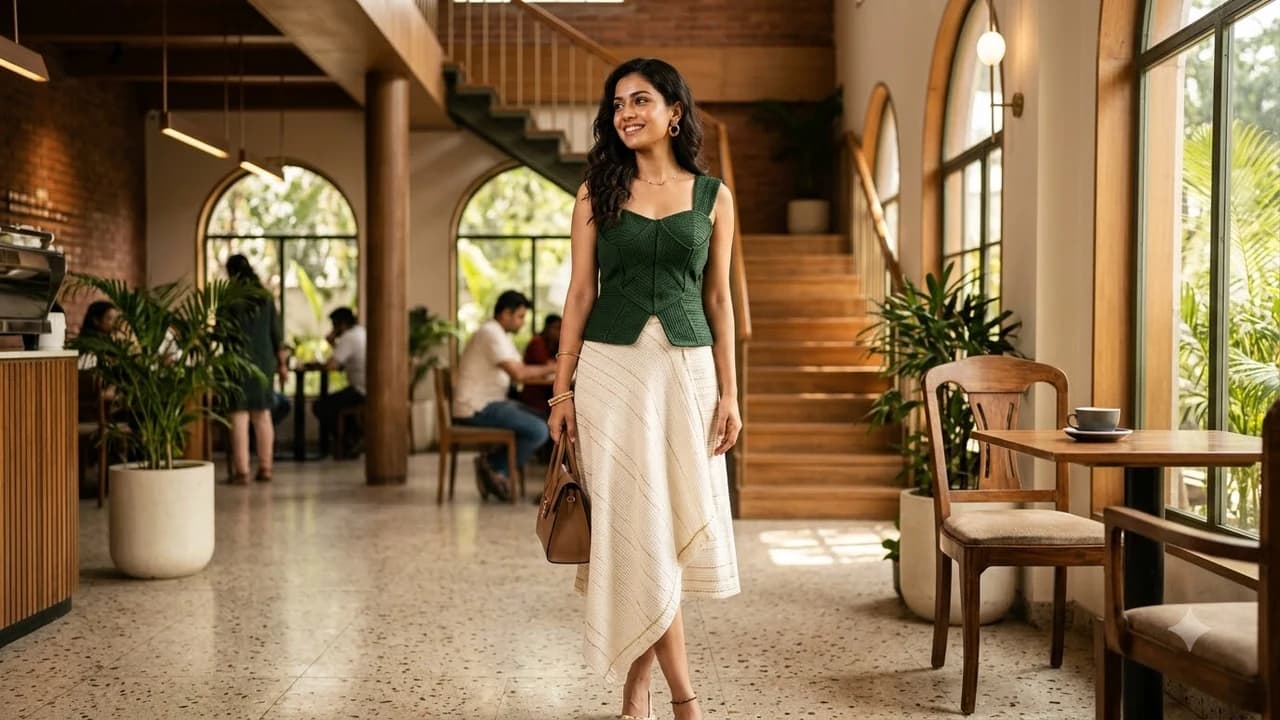
"Professional high-fashion e-commerce editorial photograph. A stylish Indian woman in her late 20s wearing this exact [Product Name], standing in a sunlit modern architectural cafe in Bengaluru. Warm chiaroscuro morning light, photorealistic skin texture, natural shadows, 50mm f/1.8 lens, high-end Vogue India magazine aesthetic, 8k resolution."
Step 4: Harmonize Shadows and Upscale to 4K
Use automated lighting harmonization to ensure the directional shadows on the product match the background light source, then run a 1-click 4K AI upscale.
Maintaining Product Authenticity & Consumer Trust
To comply with advertising standards and prevent customer returns:
- Never Alter the Real Product: Ensure the AI never alters your product's actual colors, buttons, stitching, or dimensions. The AI generates the model and background, while your actual product remains 100% authentic.
- Accurate Sizing Proportions: Check that product scaling on the model matches real-world dimensions (e.g. handbag strap length).

Learn to build AI workflows that handle your busywork — live sessions, real projects, zero code.
See the courseBeginner-friendly