.jpg&w=1080&q=75)
Automating UPI Payment Screenshot Verification on WhatsApp for Indian D2C Brands

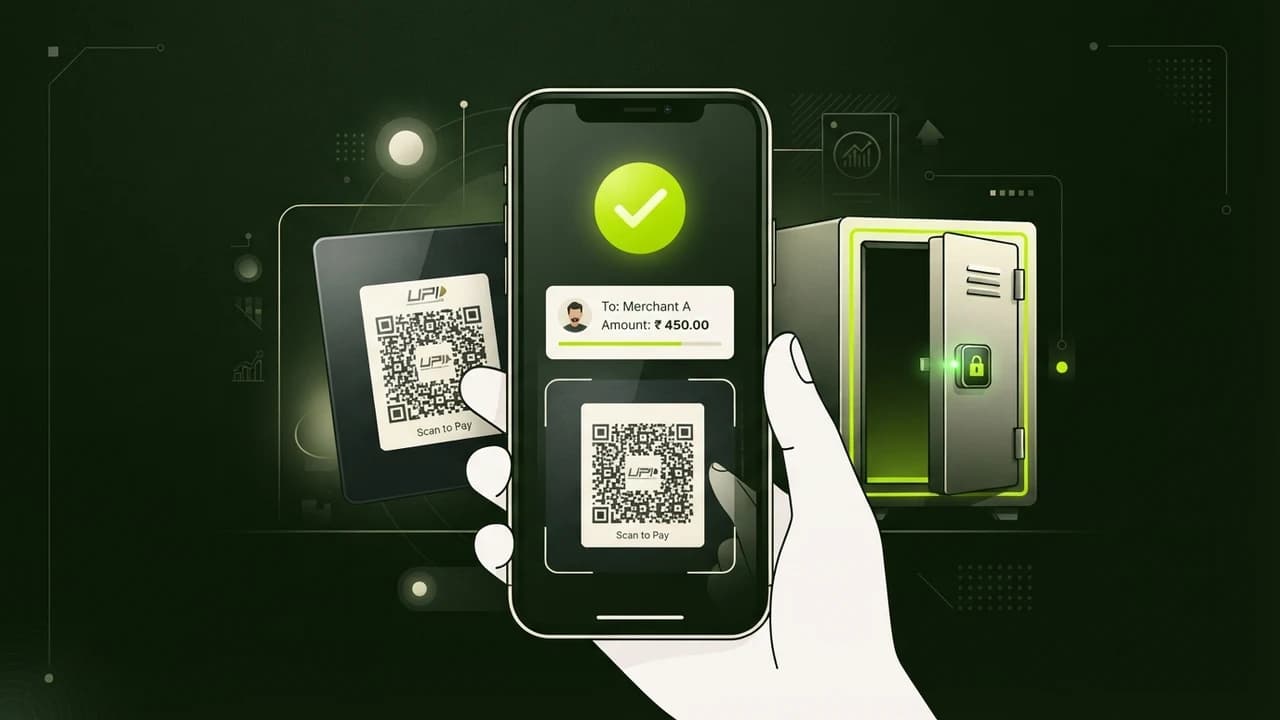
Indian e-commerce brands and local Instagram merchants can eliminate fake payment fraud, eliminate manual 12-digit UTR reconciliation delays, and dispatch orders 4 hours faster by routing WhatsApp payment screenshots into a free AI vision verification workflow that validates bank deposits before marking orders as paid.
Let us examine the silent operational hemorrhage draining small direct-to-consumer businesses across India.
It is The WhatsApp Payment Verification Bottleneck.
Consider the daily friction confronting an Indian apparel brand, artisanal food maker, or custom gift store processing 80 to 200 orders daily:
- A customer selects products on your website or WhatsApp catalog and selects 'Direct UPI / Bank Transfer'.
- The customer completes the transaction on Google Pay, PhonePe, or Paytm and sends a screenshot to your business WhatsApp number.
- Your customer support associate manually opens the image, zooms in to read the blurry 12-digit UTR reference number, opens the merchant bank netbanking app, searches for the transaction reference, and marks the Shopify or WooCommerce order as paid.
- If order volume spikes during weekend promotions or festive sales, screenshots pile up.
- Customers wait 3 to 6 hours for confirmation, flood support chat with 'Did you receive my money?', and cancel out of anxiety.
Worse, sophisticated scammers routinely send photoshopped UPI payment screens featuring fake timestamps, manipulated recipient names, and fabricated UTR numbers, duping tired support agents into shipping goods before bank funds ever arrive.
Manual screenshot verification is slow, prone to human error, and completely unsustainable past 30 orders a day.
Hiring a full-time accounts executive to match UTR numbers costs ₹20,000 every single month.
Deploying a lightweight, no-code AI verification pipeline automates this entire validation chain for less than ₹200 a month.
When a customer sends a payment screenshot on WhatsApp, an automated vision agent extracts the UTR number, cross-checks your live bank webhook or SMS feed, flags fraudulent slips instantly, and pings the customer with a tracking number within 15 seconds.
Manual Screenshot Checking vs Automated AI UPI Verification
How automated visual parsing transforms fulfillment speed and eliminates payment fraud:
Operational Metric | Manual Staff Screenshot Verification | Automated No-Code AI Verification |
|---|---|---|
Verification Turnaround | 45 minutes to 4 hours per order | Under 15 seconds in real-time |
Fake Screenshot Protection | Poor: Tired staff routinely miss photoshopped fonts | 100% immune: Verified against live bank statement feed |
Monthly Operating Cost | ₹18,000 to ₹22,000 Accounts Staff Salary | Under ₹200/Month (Micro cloud workflow trigger) |
Support Ticket Volume | High: 35% of customer queries ask for payment status | Zero: Instant automated confirmation message dispatched |
Order Dispatch Velocity | Delayed by 1 whole day waiting for bank clearing | Dispatched same afternoon, accelerating customer delivery |
The 4-Step Architecture of the UPI Verification Pipeline
1. The WhatsApp Webhook Ingestion
Capture the transaction slip the instant it arrives:
- When a customer drops a JPG or PNG receipt into your official WhatsApp Business inbox, a webhook forwards the image binary to your automation engine.
- The pipeline checks if the sender has an active pending order in your database.
- It immediately sends a temporary courtesy ping: 'Receipt received! Verifying with our banking server now...'
2. Optical Parsing & Text Extraction
Extract crucial banking telemetry from compressed images:
- The image passes into a specialized vision OCR node.
- The AI extracts four core data points:
- The 12-digit numeric UTR / Bank Reference Number.
- The exact transacted amount in INR (₹).
- The transacted timestamp.
- The payee VPA handle to confirm the funds were directed to your official account.
3. Bank Statement Cross-Matching
Never trust screenshot visuals without backend reconciliation:
- The system queries your merchant bank API, Razorpay Smart Collect feed, or incoming ICICI/HDFC corporate SMS notifications.
- It performs a triple-match check: Does this exact UTR number exist in your bank account, was it credited within the past 60 minutes, and does the deposited amount match the order subtotal?
- If all three checks match, the order is updated to [PAID - AWAITING FULFILLMENT].
4. Instant Customer Notification & Fraud Quarantine
Keep buyers informed while isolating fraudulent attempts:
- For genuine payments: The bot dispatches an immediate WhatsApp message: 'Payment confirmed! Order #4829 is now being packed. Here is your digital invoice.'
- For mismatched amounts or fabricated UTRs: The bot pauses fulfillment and politely alerts the customer: 'We could not verify this reference number with our banking partner. Please verify your UTR or contact our billing team.'
- Your operations dashboard flags the order in red, shielding your warehouse from shipping merchandise without payment.
Protecting Margins While Scaling Fulfillment
Small business founders in India should not spend their evenings manually auditing bank apps and typing 12-digit numbers into order spreadsheets.
Setting up automated UPI screenshot verification takes under an hour using no-code automation, protects your business from fake screenshot fraud, and gives your customers the instant, professional confirmation experience they expect.
---

Learn to build AI workflows that handle your busywork — live sessions, real projects, zero code.
See the courseBeginner-friendly