.jpg&w=1080&q=75)
How to Build an AI Customer Support Agent for Your Shopify Store: No-Code Guide (2026)

How to Build an AI Customer Support Agent for Your Shopify Store: No-Code Guide (2026)
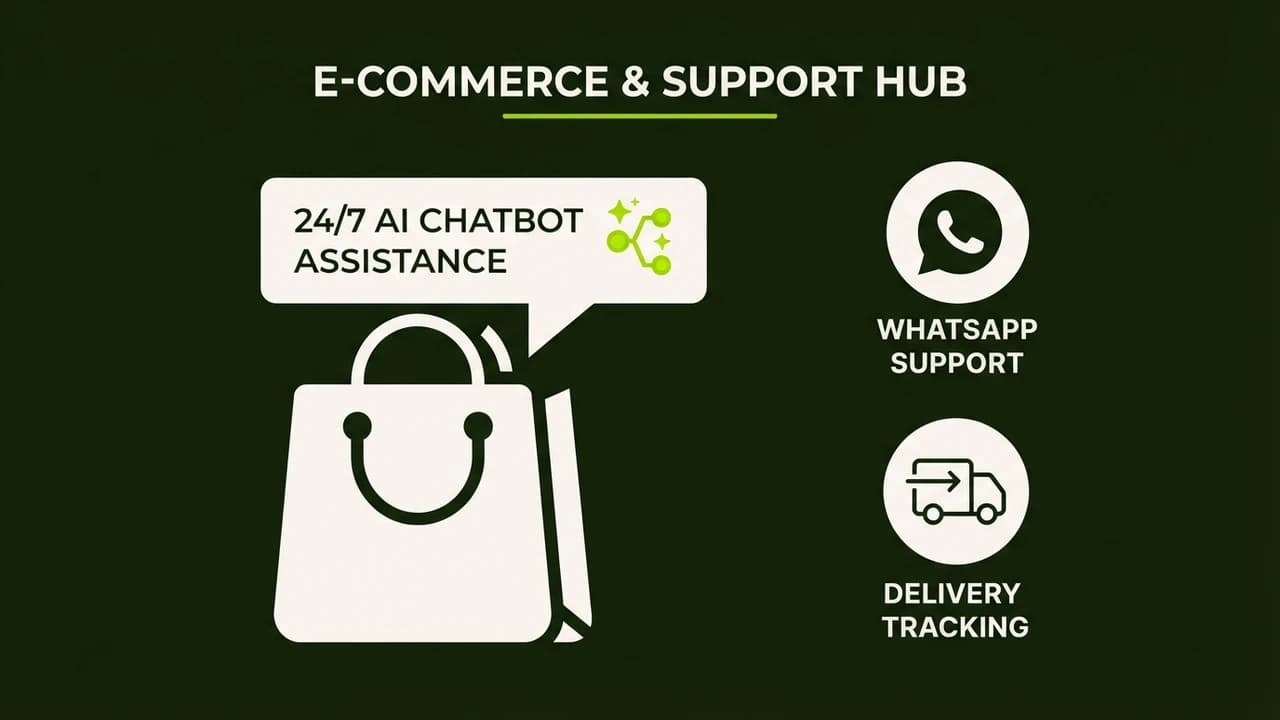
You can build a 24/7 AI customer support agent for your Shopify store in under two hours without writing a single line of code. The agent handles order status queries, return requests, and product FAQs automatically, saving Indian D2C founders up to ₹16,800 per month compared to hiring a full-time support executive.
If you run a Shopify store in India, you already know the chaos: customers pinging on WhatsApp at 11 PM asking about their Shiprocket delivery, return requests piling up over weekends, and the same five questions asked a hundred times a day. Hiring a support executive costs ₹15,000 to ₹20,000 per month, and they still need breaks, leave, and training. An AI support agent costs ₹1,200 to ₹3,000 per month, works 24/7, and replies in seconds. This guide shows you exactly how to set one up.
Why Indian D2C Stores Need an AI Support Agent Right Now
Customer expectations have shifted. Buyers on Meesho, Nykaa, and independent Shopify stores now expect replies within minutes, even at midnight. A 2026 survey by Shiprocket found that 61% of Indian online shoppers abandon a repeat purchase if they do not hear back within 2 hours of sending a support query.
The math is brutal for small stores. One support hire:
- Salary: ₹15,000 to ₹18,000/month
- PF contribution: ₹2,000/month
- Training time: 2 to 4 weeks
- Availability: 8 hours/day, 6 days/week
One AI agent:
- Tool cost: ₹1,200 to ₹2,800/month
- Setup time: 2 to 4 hours (one-time)
- Availability: 24/7, 365 days
- Languages: English, Hindi, Hinglish
The difference is not marginal. It is the difference between surviving your next sale campaign and drowning in unread messages.
The 3 Tool Options for Indian Shopify Stores
You do not need to pick the most expensive tool. Pick the one that fits your store size and comfort level.
Tool | Best For | Monthly Cost (INR) | WhatsApp Support | Shopify Integration |
|---|---|---|---|---|
Tidio AI | Small stores (under 500 orders/month) | ₹1,200 (Starter) | Yes (via Meta) | Native plugin |
Gorgias | Mid-size stores (500+ orders/month) | ₹2,800 (Basic) | Partial | Deep native |
Voiceflow + Interakt | Stores prioritising WhatsApp-first | ₹1,800 combined | Yes (full) | Via webhook |
For most Indian D2C founders starting out, Tidio AI is the fastest path to a live agent. If WhatsApp is your primary support channel (and for most Indian businesses it is), the Voiceflow + Interakt combo gives you more control.
Step-by-Step: Setting Up with Tidio AI (Recommended for Beginners)
Step 1: Install Tidio on Your Shopify Store
- Open your Shopify Admin dashboard.
- Go to Apps, then search for "Tidio Live Chat."
- Click Install. No coding required.
- Create a free Tidio account when prompted.
- Upgrade to the Tidio AI plan (Lyro AI) from inside the dashboard.
The widget appears automatically on your storefront. You can customize the color to match your brand in 2 minutes.
Step 2: Train the AI on Your Store Policies
This is the most important step. Go to Tidio's AI Knowledge Base section and add:
- Your return and exchange policy (copy-paste from your Shopify store page)
- Shipping timelines (e.g., Delhivery delivers in 3 to 5 days, Shiprocket in 4 to 7 days)
- COD availability by pincode (if applicable)
- Common product FAQs (sizing, ingredients, materials)
- Your WhatsApp number for escalations
The AI reads all of this and uses it to answer customer queries. The more specific you are, the fewer hallucinations you get.
Step 3: Connect Order Status Lookups
This is where things get genuinely useful. Tidio connects to Shopify's native order data, so when a customer types "Where is my order?", the bot asks for their email or order number, pulls the real status from Shopify, and displays it.
For Shiprocket or Delhivery tracking, go to Tidio's Integrations panel:
- Select Shopify Order Tracking.
- Paste your Shiprocket API key (found under Settings in your Shiprocket dashboard).
- Test with a sample order number.
The bot will now reply with live tracking links.
Step 4: Set Up Human Escalation Rules
You do not want the AI handling every situation. Set escalation triggers for:
- Complaints about damaged products
- Requests for refunds above ₹2,000
- Emotional or angry messages (Tidio detects sentiment automatically)
- Any query the bot marks as "unsure"
In Tidio, go to Flows and create a rule: "If AI confidence is below 70%, assign to human agent and notify via email."
Step 5: Enable WhatsApp Integration
- Go to Tidio Integrations and select WhatsApp Business.
- Connect your Meta Business account.
- Map the Tidio bot to your WhatsApp Business number.
- Test by sending a message to your own number.
Once live, customers who message your WhatsApp number get the same AI agent that handles your website chat.
Option B: Voiceflow + Interakt for WhatsApp-First Stores
If most of your customer queries come through WhatsApp, build on Voiceflow and deploy via Interakt, one of the most popular WhatsApp Business API platforms in India.
Building the Flow in Voiceflow
- Sign up at voiceflow.com (free plan is enough to start).
- Create a new project and select "Chat Agent."
- Build a simple decision tree:
- Welcome message with menu options (Order Status, Returns, Product Query, Speak to Human)
- For "Order Status": collect order number, make a webhook call to Shopify API, display status.
- For "Returns": share your policy URL, ask if they want to initiate, collect order details, send to your support email.
- For "Speak to Human": collect name and query, send WhatsApp notification to your phone.
Connecting to Interakt
- Sign up at interakt.shop (Indian WhatsApp API provider, pricing starts at ₹999/month).
- Get your WhatsApp API credentials.
- In Voiceflow, go to Publish and select WhatsApp.
- Paste your Interakt API key and phone number.
- Submit your WhatsApp message templates for Meta approval (takes 24 to 48 hours).
Once approved, your Voiceflow agent runs on WhatsApp.
Real Cost Example: Mumbai-Based Skincare D2C Brand
Priya runs a skincare brand called Glow Lab from Mumbai. Before AI support, she was spending ₹17,500/month on a part-time support executive who handled 60 to 80 tickets per day but missed weekend queries.
After setting up Tidio AI:
- Tidio Lyro AI plan: ₹1,650/month
- Interakt WhatsApp: ₹999/month
- One-time setup: 3 hours of her time
The AI now handles 85% of all queries automatically, including COD confirmations, return initiations, and order tracking. Her executive now focuses only on complex complaints and relationship-building with repeat customers. Monthly support cost dropped from ₹17,500 to ₹2,649.
Comparison: Human Support vs Basic Chatbot vs AI Agent
Feature | Human Executive | Rule-Based Chatbot | AI Support Agent |
|---|---|---|---|
Monthly Cost | ₹15,000 to ₹20,000 | ₹500 to ₹800 | ₹1,200 to ₹3,000 |
Availability | 8h/day, 6 days | 24/7 | 24/7 |
Order Tracking | Yes (manual) | No | Yes (live API) |
Handles New Questions | Yes | No | Yes |
Escalation to Human | N/A | Limited | Automatic |
Hindi/Hinglish Support | Yes | Limited | Yes |
Setup Time | 2 to 4 weeks | 2 to 5 hours | 2 to 4 hours |
The gap between a rule-based chatbot and an AI agent is the ability to handle questions it has never seen before. A chatbot returns "I don't understand" for anything outside its script. An AI agent reasons from your knowledge base and gives a sensible reply.
Common Mistakes Indian Store Owners Make
1. Training the AI with vague policies. Writing "returns accepted" is not enough. Write "Returns accepted within 7 days of delivery for unused products in original packaging. Initiate via WhatsApp at +91-XXXXXXXXXX or email [email protected]."
2. Skipping the escalation flow. If every query lands on the AI and there is no path to a human, customers escalate to public reviews. Always build a "Speak to Human" option.
3. Not testing with real queries. Before going live, send 20 real customer messages from the past month through the bot and see how it responds. Fix gaps before customers see them.
4. Ignoring Hindi support. A significant portion of Indian D2C customers prefer communicating in Hindi or Hinglish. Tidio and Voiceflow both support multilingual responses. Set up your knowledge base with common Hindi phrases.
5. Over-automating. Do not set the AI to handle refund approvals automatically. Approvals above ₹500 should always require a human review step.
Start Building Your AI Support Agent Today
Your competitors are already cutting support costs with AI. A customer who gets an instant reply at 2 AM is a customer who completes their purchase and comes back next month.
The no-code tools covered in this guide require zero technical knowledge. If you can copy-paste your return policy, you can set up an AI support agent this weekend.
Ready to build your first AI agent? Zero To AI's 40-minute no-code course walks you through the exact steps, with live demos on Tidio and Voiceflow:
Build Your First AI Agent in 40 Minutes (No Code Required)
No coding. No prior AI experience. Just a working support agent by the end of the session.

Learn to build AI workflows that handle your busywork — live sessions, real projects, zero code.
See the courseBeginner-friendly