

Automated Digital Gift Voucher System: Step-by-Step No-Code Setup

Building an automated digital gift voucher system no code enables local retail stores, independent coaches, and creators to sell instant festive gift cards without hiring developers. By linking payment links, spreadsheet databases, and automated WhatsApp delivery, businesses collect upfront revenue, generate unique voucher codes, and delight holiday shoppers within seconds.
Last verified: 22 November 2026
Every December, thousands of Indian shoppers search for last-minute gifts for family, friends, and colleagues. Traditional paper gift certificates require physical store visits, manual printing, and clumsy paper ledger tracking. If a customer wants to send a festive gift to a cousin in another city, paper vouchers simply fail.
In November 2026, setting up an automated digital gift voucher system no code gives your business an immediate commercial advantage. Customers purchase vouchers directly from your website or social media bio link, and your system instantly generates an elegant digital gift card sent directly to the recipient over WhatsApp or email.
The entire system runs on reliable, low-cost tools you already understand. You do not need to write custom software, hire expensive software agencies, or pay high monthly platform fees.
The Commercial Value of Digital Gift Vouchers
Digital gift vouchers solve three major commercial challenges for small businesses during the holiday rush:
- Immediate Upfront Cash Flow: When a customer buys a gift voucher, your business collects revenue immediately. Historical retail data shows that roughly 15 to 20 percent of gift voucher balances are redeemed several weeks or months later, providing valuable working capital.
- Zero Inventory Fulfillment Bottlenecks: During peak festive weeks, courier services face heavy delivery delays. Digital vouchers deliver instantly, making them the perfect last-minute gift product right up to Christmas Eve and New Year midnight.
- Frictionless New Customer Acquisition: Every voucher buyer introduces you to a brand-new customer who receives the gift. When that recipient redeems their voucher, they frequently spend 30 to 50 percent more than the initial card denomination.
Setting up automated payment capture through Razorpay Payment Pages guarantees safe domestic and international credit card, debit card, and UPI transactions.
The Core No-Code Architecture
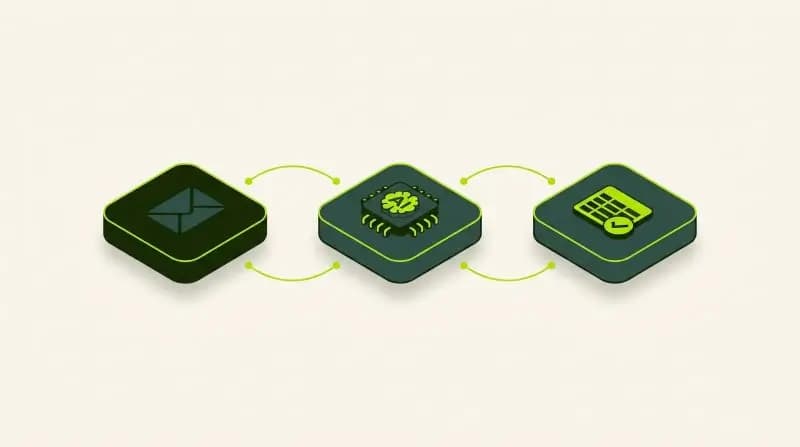
You can assemble a complete automated digital gift voucher system no code in less than two hours using four standard components:
- Customer Front-End: A clean online checkout form where the buyer selects the voucher amount, enters the recipient name and phone number, and writes a personalized holiday greeting.
- Payment Gateway: An Indian payment gateway link that accepts UPI, credit cards, and net banking without complex backend integration.
- Central Voucher Ledger: A Google Sheet that stores transaction IDs, recipient details, unique alphanumeric redemption codes, and voucher validity dates.
- Delivery Engine: An automated trigger via n8n or Make that merges customer details into a pre-designed digital voucher template and sends it via WhatsApp or email.
For business owners who want to master practical workflow design, our comprehensive course Build Your First AI Agent in Just 40 Minutes explains how visual triggers connect payment gateways to operational databases.
Step-by-Step Implementation Guide
Follow these five practical steps to launch your digital voucher engine before festive shopping peaks:
Step 1: Create Your Payment Page
Create an account on Razorpay or Instamojo and open the Payment Pages dashboard. Create a new page titled Festive Gift Voucher. Add preset denomination buttons such as 1000 rupees, 2500 rupees, and 5000 rupees, along with a custom amount field.
Add three mandatory custom input fields to the form:
- Buyer Name and Mobile Number
- Recipient Name and WhatsApp Number
- Personalized Festive Message
Step 2: Configure Your Google Sheet Database
Open Google Sheets and create a new spreadsheet named 2026 Festive Voucher Ledger. Set up the following column headers in Row 1:
- Column A: Payment ID
- Column B: Purchase Timestamp
- Column C: Buyer Name
- Column D: Recipient Name
- Column E: Recipient WhatsApp
- Column F: Voucher Amount
- Column G: Unique Voucher Code
- Column H: Redemption Status (Default: Unredeemed)
- Column I: Redeemed Date
Step 3: Generate Unique Alphanumeric Codes
To prevent fraud, every gift card must have a distinct identifier. You can generate clean codes directly in your spreadsheet using this simple formula:
="GIFT-" & TEXT(ROW(), "0000") & "-" & UPPER(MID(MD5(A2), 1, 4))
This creates neat, tamper-proof codes like GIFT-0142-9B7C that store cashiers or online checkout staff can verify in seconds.
Step 4: Design Your Branded Digital Voucher Template
Design a clean, festive 16:9 voucher graphic in Canva or Google Slides. Ensure your brand logo, redemption instructions, and expiration terms are prominently displayed. Leave clear dynamic placeholder fields for:
- Recipient Name
- Voucher Amount
- Unique Voucher Code
- Personalized Sender Message
Step 5: Automate Generation and WhatsApp Delivery
Use a free self-hosted or cloud n8n workflow to tie the components together. When a payment completes, the webhook sends transaction details to your workflow. The automation generates the PDF voucher and calls the Meta WhatsApp Business Platform to deliver the voucher card directly to the recipient's smartphone.
To explore how small retailers set up automated customer messaging pipelines, review our guide on festive AI sales automation for Indian retailers and learn how AI automation for small business in India drives measurable revenue.
Step Number | Component | Tool Used | Setup Time | Monthly Cost |
|---|---|---|---|---|
Step 1 | Checkout & Payments | Razorpay Payment Pages | 20 Minutes | 0 Platform Fee (2% per txn) |
Step 2 | Database & Ledger | Google Sheets | 15 Minutes | Free |
Step 3 | Code Generation | Google Sheets Formulas | 10 Minutes | Free |
Step 4 | Template Design | Canva / Google Slides | 25 Minutes | Free |
Step 5 | PDF & Delivery | n8n / WhatsApp Cloud API | 30 Minutes | Under 500 Rupees |
Cashier Redemption and Fraud Prevention
An automated voucher system is only as effective as its redemption workflow. You must ensure that gift vouchers cannot be redeemed twice:
- Single Verification Bookmark: Provide your counter staff or billing manager with a simplified Google Sheets filter link bookmarked on the store tablet.
- Instant Search by Code: When a customer presents their digital voucher on their phone, the cashier types the unique code into the search bar.
- One-Click Status Update: The cashier changes the status dropdown from Unredeemed to Redeemed and enters the billed invoice number.
Because Google Sheets updates in real time across all devices, duplicate redemptions across multiple branches or staff members are impossible. For additional low-cost tool recommendations, inspect our roundup of the best AI tools for Indian small business under 2000 rupees and check out our detailed n8n tutorial for non-coders.
Advanced Holiday Campaign Promotions for Retailers
Once your digital voucher pipeline is active, you can scale revenue through proactive festive marketing:
- Corporate Bulk Gifting: Local businesses frequently buy 20 to 50 vouchers for employees. Create a dedicated Google Form where HR managers can submit employee rosters and pay via corporate bank transfer.
- Social Media Bio Link Integration: Pin your voucher purchase link on Instagram, WhatsApp Business catalog, and Google Business Profile. Add a festive banner announcing instant digital gifting.
- Post-Holiday January Activation: Send an automated WhatsApp reminder in mid-January to recipients who have not yet redeemed their vouchers. Offer a complimentary tea, dessert, or bonus consultation when they redeem their voucher before January 31st.
By deploying an automated digital gift voucher system no code, your business captures sales that would otherwise be lost to distant e-commerce giants. You give local customers a seamless way to share your products with their loved ones, establishing durable relationships heading into 2027.
Learn to build AI workflows that handle your busywork — live sessions, real projects, zero code.
See the courseBeginner-friendly