.jpg&w=1080&q=75)
How to Build a WhatsApp Order Bot for Your Business: No-Code Step-by-Step Guide

How to Build a WhatsApp Order Bot for Your Business: No-Code Step-by-Step Guide
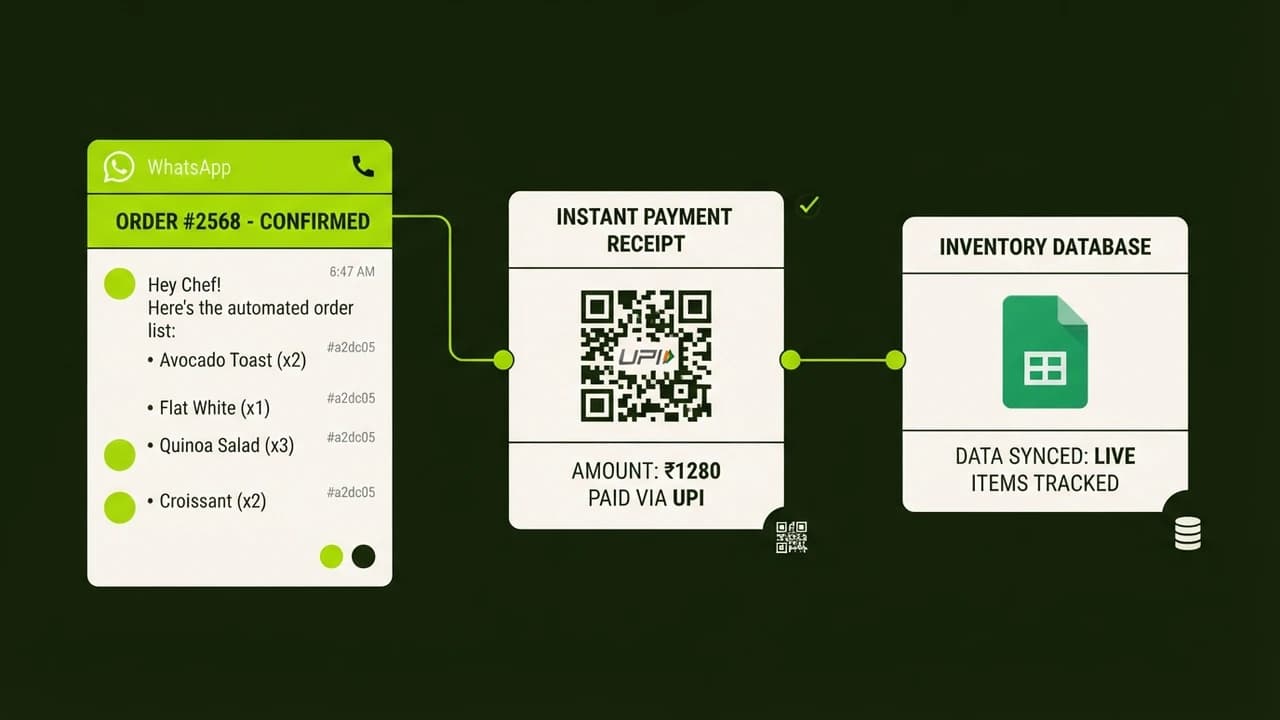
To build a WhatsApp order bot for your business without coding, connect the WhatsApp Business Cloud API to a visual automation platform like n8n or Make, using Google Sheets as your live inventory database and product catalog. This automated setup parses customer item requests using lightweight language models, calculates invoice totals with delivery fees, generates dynamic UPI payment links, and confirms orders in real time.
For Indian small businesses like bakeries, cloud kitchens, and kirana stores, WhatsApp is the primary sales channel. Over 80 percent of orders arrive as casual text messages or photos of handwritten lists. During peak hours, staff struggle to answer incoming messages while attending walk-in shoppers, causing frustrated buyers to order elsewhere.
Building custom mobile apps costs over ₹1,50,000, yet customers rarely install standalone apps for local shops. A no-code WhatsApp order bot delivers an instant checkout experience inside the chat interface customers already use daily for under ₹1,500 monthly operating cost without writing code.
Why WhatsApp Order Automation Helps Indian Small Businesses
Manual order taking over WhatsApp creates four major operational challenges:
- Lost Peak-Hour Revenue: When multiple customers message during evening rushes, staff cannot reply quickly. Automated replies capture orders immediately.
- Order Miscommunication: Interpreting casual text messages leads to wrong item preparations. The business absorbs costly return expenses.
- High Marketplace Commissions: Platforms like Swiggy and Zomato charge 18 to 28 percent commission. Direct WhatsApp ordering retains 100 percent of customer sales.
- Uncollected Payments: Customers sometimes delay UPI transfers upon delivery. Automated links collect payments upfront.
An automated bot solves these issues by confirming items, calculating taxes, and sharing UPI links before alerting your dispatch team.
Manual WhatsApp Orders vs Autonomous No-Code Order Bot
The operational differences between manual chatting and an automated WhatsApp bot are clear:
Operational Feature | Manual WhatsApp Order Taking | Third-Party Food Apps | Autonomous WhatsApp Bot |
|---|---|---|---|
Average Customer Response Time | 10 to 45 minutes during rush hours | Instant app catalog | Under 3 seconds round the clock |
Commission per Order | 0% | 18% to 28% commission | 0% (Direct customer sales) |
Order Entry Accuracy | High error rate from manual typing | High (User selects items) | High (AI validates against live sheet) |
Customer Data Ownership | Fragmented across chat threads | Kept by platform | 100% owned in your Google Sheet |
Payment Collection Method | Manual UPI QR sharing and checking | In-app gateway | Dynamic UPI payment links and QR |
Setup and Monthly Cost | ₹0 tool cost, but heavy staff time | High commission loss | ₹800 to ₹1,500 monthly server cost |
Staff Training Required | Constant supervision of counter staff | App portal training | Zero (Runs on visual automation rules) |
The 8-Step Blueprint to Build Your WhatsApp Order Bot
You can assemble this complete system over one weekend using visual drag-and-drop workflow tools:
Step 1: Set Up Meta WhatsApp Business Cloud API
Use Meta's official WhatsApp Business Cloud API to send automated responses reliably. Register on the Meta for Developers portal, create a Business app, and add the WhatsApp product. Meta provides a test phone number with 1,000 free monthly service conversations. Verify your business phone number via OTP to begin.
Step 2: Build Your Product Catalog in Google Sheets
Google Sheets serves as your inventory catalog. Create columns for item_id, item_name, category, price_inr, and in_stock.
Step 3: Deploy Your n8n Automation Engine
Host n8n on an affordable cloud server like Hostinger or DigitalOcean for ₹450 to ₹900 per month, or create an n8n Cloud account. In the dashboard, create a new workflow named WhatsApp Order Engine.
Step 4: Configure Webhook Trigger for Incoming Messages
Add an n8n Webhook node set to POST. Paste this URL into Meta Developer Webhooks and subscribe to messages so n8n triggers on every incoming chat.
Step 5: Add AI Intent Parsing with Claude or Gemini
Add an AI node using Claude 3.5 Haiku or Google Gemini 1.5 Flash with your catalog context to parse item names, quantities, and addresses into structured JSON.
Step 6: Compute Order Total and Generate UPI Payment Link
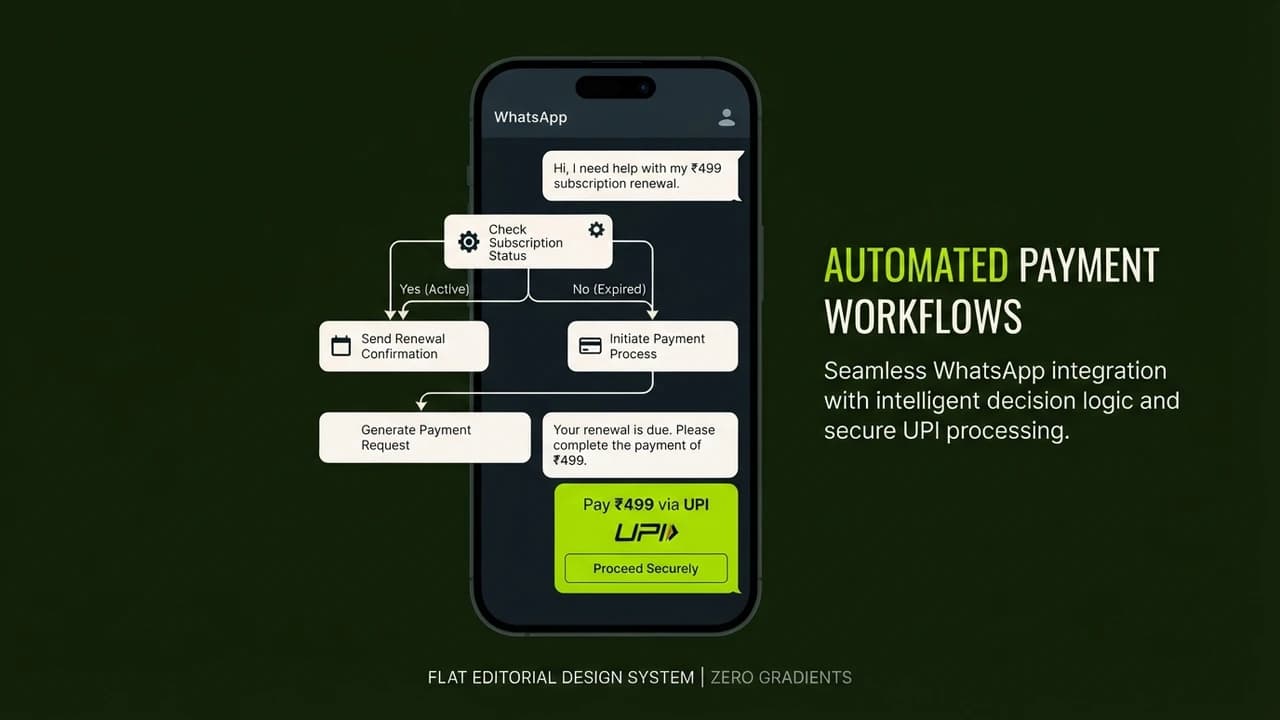
Use an n8n calculation node to multiply quantities by prices from Google Sheets and add delivery fees. Generate a dynamic UPI payment link following NPCI standards:
upi://pay?pa=yourstore@okhdfcbank&pn=YourStoreName&am=540&cu=INR&tn=Order_1042
This allows mobile shoppers to tap and open Google Pay, PhonePe, or Paytm with the payable amount pre-filled.
Step 7: Log Confirmed Order and Alert Dispatch Staff
Add a Google Sheets node to append order details to your records and send an instant dispatch alert via Telegram or WhatsApp.
Step 8: Send Automated Confirmation and Tracking Status
Send an automated WhatsApp confirmation with the UPI link. When staff mark orders ready in the sheet, automated text updates notify customers.
Monthly Tool Stack and Operating Costs in INR
Operating this autonomous WhatsApp bot requires minimal recurring expense:
Tool Component | Recommended Software | Monthly Cost | Functionality |
|---|---|---|---|
Automation Engine | Self-hosted n8n VPS | ₹450 to ₹900 | Visual trigger logic |
Messaging API | Meta WhatsApp Cloud API | ₹0 (1,000 free chats) | Official messaging gateway |
Cloud Database | Google Sheets | ₹0 | Live menu and order log |
AI Reasoning Engine | Gemini 1.5 Flash API | ₹200 to ₹500 | Natural language order parsing |
UPI Payments | NPCI UPI link format | ₹0 | Zero-commission payment links |
Total Monthly Cost | Full No-Code Stack | ₹650 to ₹1,400 | Autonomous order pipeline |
Real Indian Case Study: How a Pune Bakery Saved 3.5 Hours Daily
The Crust Studio is an artisanal bakery in Kothrud, Pune, managed by Neha Deshmukh.
The Operational Challenge
During weekends, Neha received over 60 WhatsApp inquiries daily. Confirming flavors and delivery times required constant typing. Neha and her assistant spent four hours daily managing chats. Missed messages caused estimated sales losses of ₹15,000 weekly, while manual transcription mistakes wasted ₹18,000 monthly in inventory.
The No-Code WhatsApp Bot Solution
In early 2026, Neha deployed an 8-step n8n WhatsApp order bot connected to Google Sheets. Customers receive instant greetings and menu choices. Gemini Flash parses orders in Hinglish, and the bot generates dynamic UPI links. Confirmed orders print directly to a kitchen receipt printer.
Measurable Results After 60 Days
- Daily Time Saved: Cut manual chat time from 4 hours to 30 minutes, saving 3.5 hours daily.
- Error Reduction: Eliminated transcription errors, saving ₹18,000 monthly in returned items.
- Order Volume: Daily orders grew from 28 to 44 through instant response times.
- Tool Costs: Total software expenses remained under ₹1,100 per month.
4 Common Setup Mistakes to Avoid
Avoid these frequent mistakes when deploying your WhatsApp order bot:
1. Hardcoding Menu Items in Bot Logic
Never enter prices directly into automation nodes. Store catalog data in Google Sheets so counter staff can update prices or stock in seconds without altering workflows.
2. Failing to Provide a Human Counter Takeover
No bot handles every complex inquiry. Always include an escape command like 'Reply HELP to speak with staff' that pauses automated messages and alerts a team member.
3. Skipping Payment Verification Safeguards
Generating a UPI link is convenient, but verify payments before dispatching high-value items. Configure your bot to check transaction reference numbers or collect cash on delivery confirmation.
4. Ignoring WhatsApp Cloud API Template Rules
Outbound promotional messages sent 24 hours after a customer's last reply require pre-approved Meta message templates. Keep transactional order updates strictly within the 24-hour service conversation window.
Build Your AI Revenue System at Zero To AI
Automating orders and customer sales with artificial intelligence helps Indian businesses protect margins and scale revenue without hiring developers.
Zero To AI provides practical step-by-step masterclasses designed specifically for non-technical Indian entrepreneurs and small business owners.

Learn to build AI workflows that handle your busywork — live sessions, real projects, zero code.
See the courseBeginner-friendly