Google Flow vs Veo vs Kling: Which Is Actually Free in India? (2026 Comparison)

Google Flow vs Veo vs Kling: Which Is Actually Free in India? (2026 Comparison)
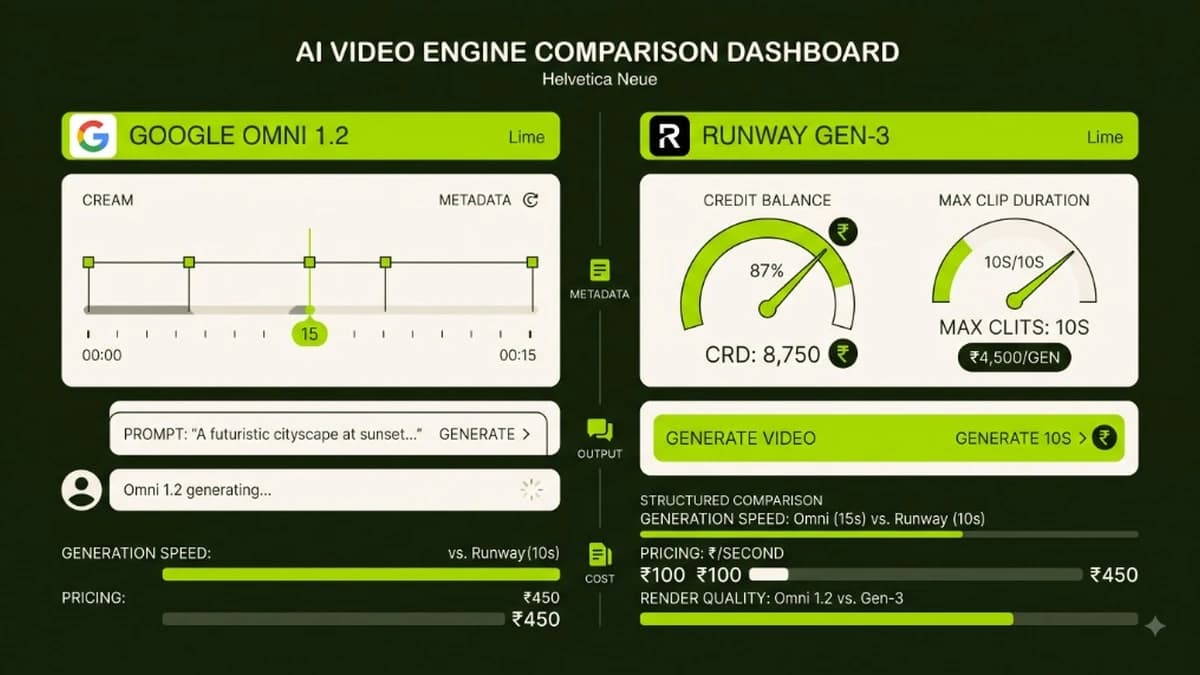
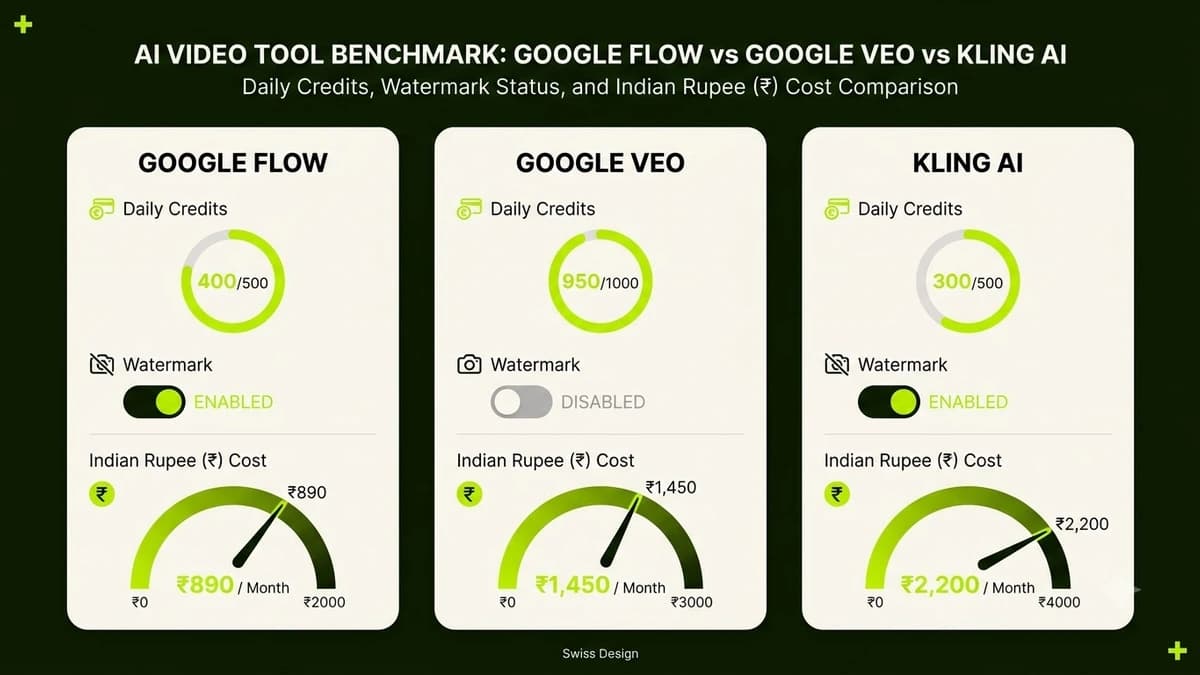
Google Flow offers 50 free daily credits with a subtle watermark for Indian accounts, while Kling AI grants 66 daily points for longer 10-second clips, and Google Veo requires paid enterprise Google Cloud Vertex AI subscriptions.
The rapid release of generative artificial intelligence video tools has left Indian digital marketers, agency owners, and freelance creators confused about true operational pricing. Global tech headlines frequently proclaim tools as "free," only for Indian users to sign up and discover strict regional waitlists, mandatory US credit card verification, or watermark restrictions that make videos unusable for commercial client work.
If you are producing Instagram Reels, commercial product advertisements, or YouTube content on a budget, you need to know which platforms offer genuine free operational utility in India. This comprehensive benchmark audits Google Flow (powered by Gemini Omni 1.2), Google DeepMind's Veo 3.1, and Kling AI across daily free quotas, rendering speeds, watermark policies, and commercial licensing terms.
The Indian AI Video Landscape: Free Quotas at a Glance
The table below contrasts the actual operational parameters available to users connecting from Indian IP addresses without international credit cards:
Evaluation Criteria | Google Flow (Omni 1.2) | Google Veo (Vertex AI / Labs) | Kling AI (v1.5) | Runway Gen-3 Alpha |
|---|---|---|---|---|
Daily Free Quota | 50 Daily Credits (Resets 12:00 AM) | Zero Free (Requires Google Cloud billing) | 66 Daily Free Points | 125 One-Time Trial Credits |
Credit Rollover | No (Use or lose daily) | Not applicable | No (Expires at midnight) | Yes (One-time bucket) |
Credit Card Required? | No (Standard Google Login) | Yes (Enterprise Cloud Account) | No (Email / Mobile OTP) | No for trial, Yes for plans |
Max Free Clip Duration | 5 Seconds per generation | Up to 60s (Enterprise only) | 5s to 10s per generation | 5s to 10s per generation |
Watermark on Free Tier? | Tiny corner watermark | No (Enterprise output) | Visible corner watermark | Prominent bottom watermark |
Indian UPI Payment? | Coming via Google Play | Enterprise invoicing only | Credit Card only (USD) | Credit Card only (USD) |
Commercial Usage Rights | Personal / Creator use | Full Commercial Enterprise | Commercial allowed on paid | Paid plans only |
Platform Deep-Dive: Which Tool Fits Your Workflow?
1. Google Flow (The Best Daily Free Workhorse for Creators)
Built on Google's conversational Gemini Omni 1.2 video architecture, Google Flow is accessible directly through standard browser interfaces without cloud console complexity.
- The Free Reality: Indian users receive 50 complimentary generation credits every single morning. A standard 5-second 720p generation consumes approximately 10 credits, allowing you to generate 5 test video clips every day for ₹0.
- Watermark Policy: Free outputs feature a minimal semi-transparent watermark in the lower corner. For vertical 9:16 Reels, cropping the video by 3% or placing a standard caption overlay completely covers the mark without degrading visual quality.
- Biggest Advantage: Flawless prompt comprehension for conversational multi-turn editing. You can upload an image and type "Change the lighting to warm twilight" in plain language.
2. Google DeepMind Veo (The Enterprise Cinema Standard)
Google Veo represents Google's flagship Hollywood-grade video diffusion model, capable of 1080p photorealistic rendering with high physical temporal consistency.
- The Free Reality: Veo is NOT free for consumer accounts. While experimental demos were showcased at Google I/O, production access to Veo is routed through Google Cloud's Vertex AI platform. Utilizing the API requires linking a corporate billing account with per-second rendering fees.
- Best Use Case: Enterprise creative agencies and film production houses with dedicated cloud engineering budgets.
3. Kling AI (The Long-Clip Motion Champion)
Developed by Kuaishou, Kling AI has gained massive global adoption among creators due to its exceptional character motion handling.
- The Free Reality: Logging in daily grants 66 free points. Generating a standard 5-second video consumes 10 points. Uniquely, Kling allows users to generate extended 10-second clips on the free tier, making it ideal for storytelling where 5 seconds feels too abrupt.
- Biggest Advantage: Outstanding physics simulation. Water pouring, people walking, and complex dance movements retain anatomical structure far better than early diffusion models.
4 Methods to Use Free AI Video for Indian Commercial Clients Legally
While free tiers carry watermark and resolution limitations, clever freelancers and solopreneurs build profitable commercial services using these four compliant production workflows:
+-----------------------------------------------------------------------------+
|                         FREELANCE AI VIDEO PIPELINE                         |
|                                                                             |
|  [Daily Free Gens]   --> Batch generate 10 clips across Flow & Kling         |
|                                     |                                       |
|                                     v                                       |
|  [Local AI Upscale]  --> Upscale 720p to 4K locally using free Topaz / Upscayl|
|                                     |                                       |
|                                     v                                       |
|  [Canva Framing]     --> Overlay brand logo, text and music bed             |
|                                     |                                       |
|                                     v                                       |
|  [Client Delivery]   --> Charge ₹3,000 - ₹8,000 per finished commercial Reel |
+-----------------------------------------------------------------------------+
1. The Multi-Platform Daily Farming Strategy
Create accounts on both Google Flow and Kling AI. Every morning, you have access to 5 free generations on Google Flow and 6 generations on Kling. By batching your creative prompt tests daily, you generate 300+ free high-definition b-roll clips each month without paying a single rupee in software subscriptions.
2. Free Local AI Upscaling
Free tiers generally export at 720p resolution. Download free, open-source desktop upscalers like Upscayl (available for Mac, Windows, and Linux). In two minutes, your computer upscales the 720p clip into razor-sharp 4K resolution using local AI processing, removing compression artifacts.
3. Strategic Cropping and Graphic Overlays
In modern social media video advertising, the bottom 20% of the vertical frame is typically occupied by creator profile handles, captions, and sound titles. By framing your subject in the upper 80% of the canvas and applying a branded graphic lower-third bar in Canva or CapCut, corner watermarks are seamlessly masked.
4. Transparent Client Proof-of-Concept Piloting
Use free daily generations to build rapid proof-of-concept moodboards for prospective clients. Once the client approves the creative direction and pays a 50% project advance (e.g., ₹10,000), upgrade to a single month of paid credits to export pristine, watermark-free final assets.
Prompt pack
Google Flow Video Prompts
A complete Google Flow prompt toolkit: scene-by-scene starter prompts, a consistent-character workflow, and 85+ plain-language phrases for camera movement, camera angles, motion, lighting, composition, focus, effects and colour grading, plus 10 complete ready-to-run scene prompts and a mistakes-and-fixes guide. Built from our free Flow tutorial for India.
₹99₹49View pack →
Learn to build AI workflows that handle your busywork — live sessions, real projects, zero code.
See the courseBeginner-friendly