.jpg&w=1080&q=75)
What is an AI Agent? The Non-Coder's Plain English Guide (2026)

Primary Function | Matches rigid keywords to canned replies | Generates conversational text from prompts | Achieves multi-step business goals autonomously |
Tool Integration | Limited to pre-configured database lookups | Relies on human to click and approve actions | Calls external APIs, spreadsheets, and webhooks directly |
Memory Handling | Resets after every isolated session | Retains chat history within single window | Persists user profiles, preferences, and long-term data |
Error Recovery | Fails or repeats default helpdesk message | Asks user for clarification or stops | Retries failed steps, selects alternate tools, or alerts human |
Human Effort Required | High setup maintenance for custom rules | High continuous typing and copy-pasting | Low supervision once initial workflow rules are set |
Real-World Use Case | Answering static FAQs on a company website | Drafting blog outlines or rewriting emails | Managing 24/7 client booking, invoicing, and follow-ups |
Real Indian Business Case Study: CA Rahul Kulkarni's Pune Tax Office
To see an AI agent in practice, look at Rahul Kulkarni's chartered accountancy practice in Pune, Maharashtra.
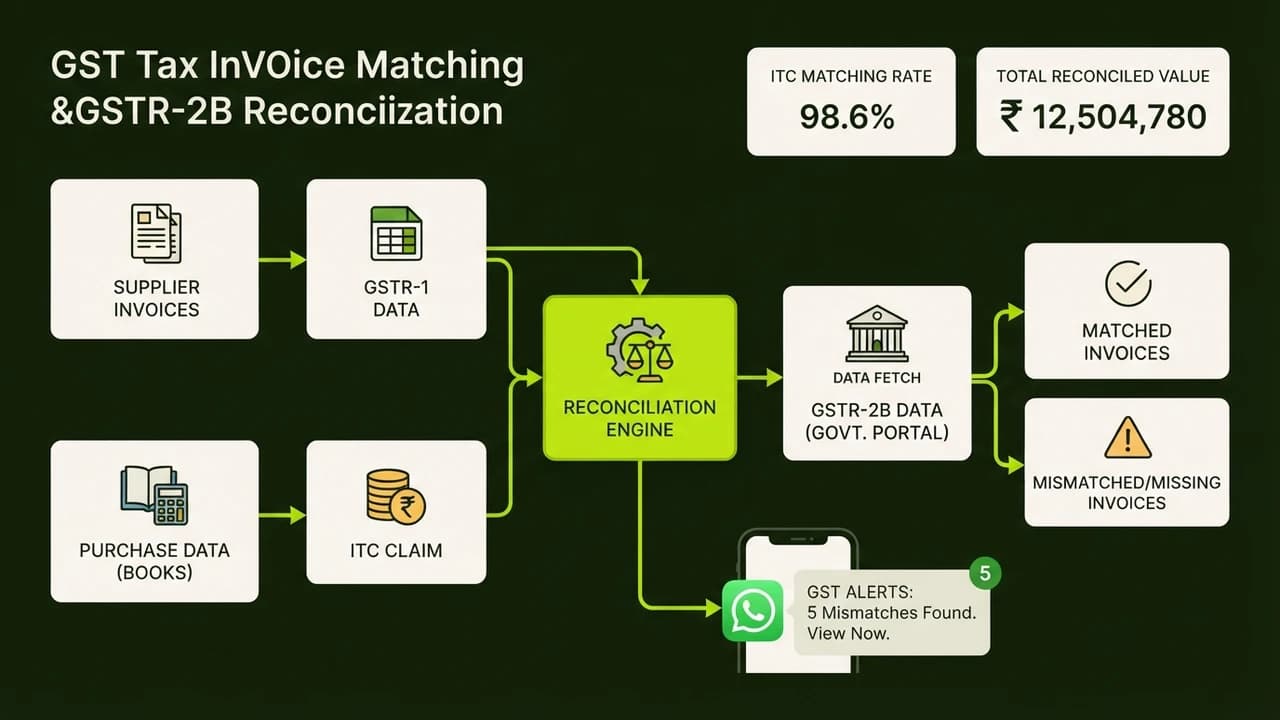
Rahul manages GST filings, audits, and bookkeeping for 85 small businesses. Every month, his three junior accountants spent 45 collective hours chasing clients on WhatsApp for missing invoices, bank statements, and purchase bills.
The Cost Drain
Clients sent blurry photos of receipts or voice notes at irregular hours. Staff manually downloaded documents, renamed files with client GSTINs, extracted invoice numbers, and verified vendor GST validity before entering data into Tally.
This manual process cost Rahul's firm approximately ₹35,000 monthly in overtime and risked filing delay penalties under Section 47 of the CGST Act.
The No-Code AI Agent Solution
Rahul configured a document collection agent using no-code automation connected to WhatsApp Business and Google Drive:
- On the 2nd of each month, the agent sends polite WhatsApp reminders to all 85 business owners requesting monthly purchase bills.
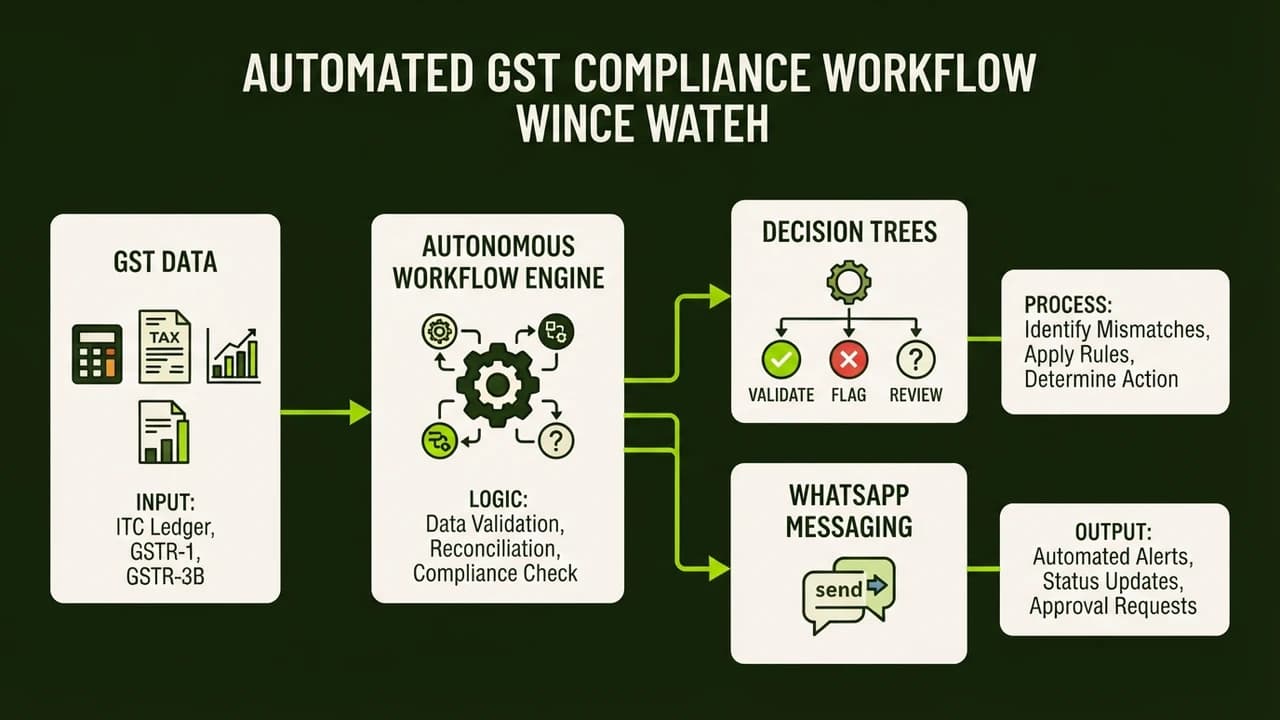
- When a client sends an invoice image or PDF, vision AI extracts the vendor name, invoice date, total amount, and CGST, SGST, and IGST values.
- The agent validates the numbers against a Google Sheet ledger. If tax math does not balance, it replies instantly on WhatsApp: "Namaste Sharma ji, this bill shows a tax mismatch of ₹420. Please verify the amount or share a clearer copy."
- Verified files are automatically renamed with the standard tax code, uploaded to the client Google Drive folder, and logged into master GST filing sheets.
- If a client fails to send documents within 72 hours, the agent sends automated follow-ups.
The Business Impact
Within two tax filing cycles, Rahul cut 40 hours of repetitive administrative work per month. His firm saved ₹32,000 monthly in operational expenses, achieved zero late filings across 85 accounts, and onboarded 20 new business clients without adding staff.
4 Practical AI Agents Indian Professionals Can Build Today
You do not need massive technical budgets to build functional agents. Here are four common workflows Indian professionals deploy:
1. 24/7 WhatsApp Inquiry and Booking Agent
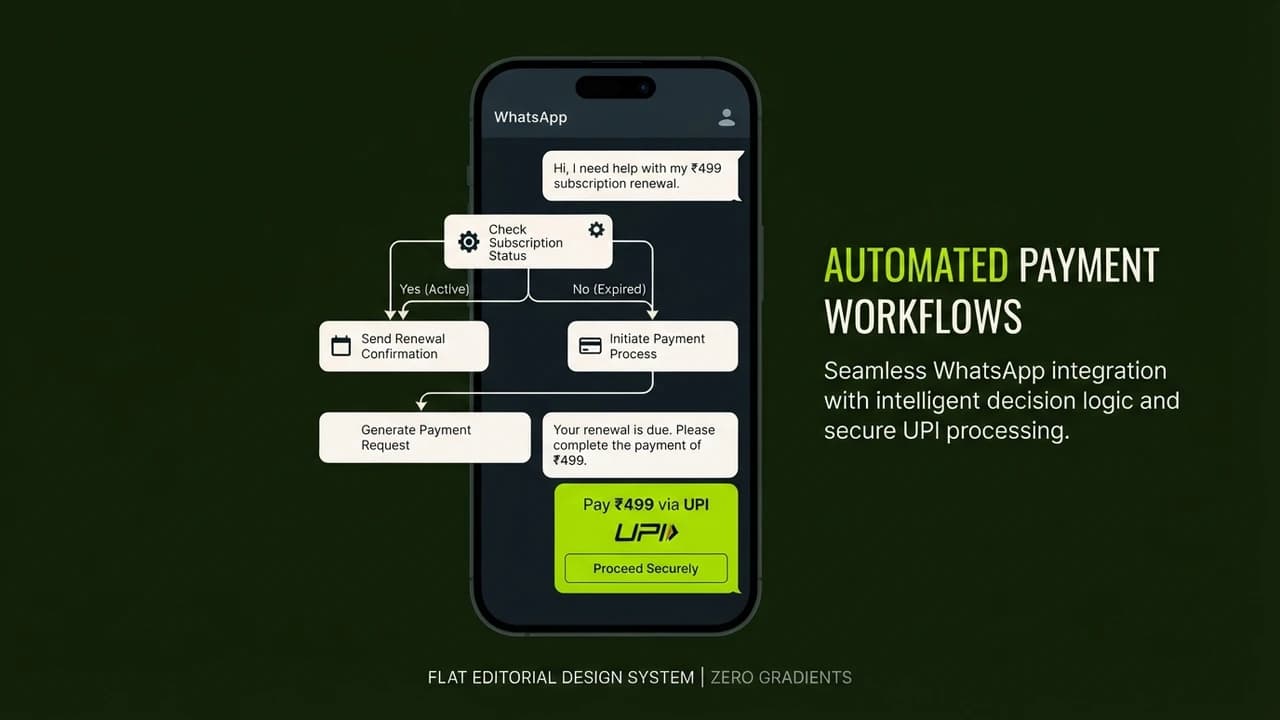
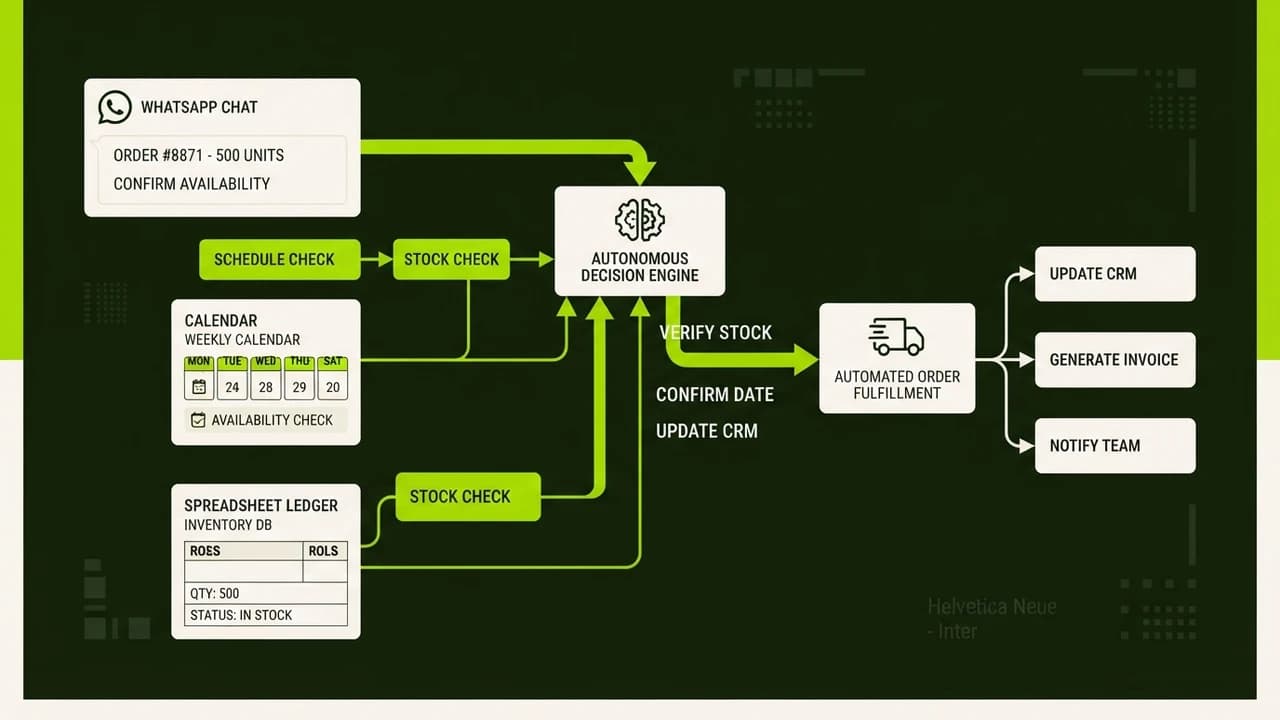
For service businesses like dental clinics, salons, and coaching centers, delayed replies lose customers. An inquiry agent connects to WhatsApp Business, answers pricing queries, checks real-time calendar availability, reserves slots, and collects token deposits via UPI QR codes.
2. Lead Qualification and CRM Agent
Digital agencies and real estate consultants in Bengaluru and Gurugram receive dozens of ad leads weekly. A qualification agent contacts new leads, asks three filtering questions regarding budget and timeline, logs qualified prospects into Google Sheets, and alerts sales teams via Telegram.
3. Vendor Invoice and Expense Extraction Agent
Retail kirana distributors and restaurant operators process hundreds of supplier bills weekly. An expense agent reads invoices received via email or WhatsApp, extracts line items and GST amounts, and updates central accounting sheets automatically.
4. Client Payment Follow-Up Agent
Freelancers frequently waste time following up on unpaid bills. A payment agent monitors outstanding invoices in Google Sheets. It sends courteous WhatsApp and email reminders with instant UPI payment links before and after due dates, logging payment confirmations automatically upon settlement.
The No-Code AI Agent Stack for Non-Coders in 2026
Building an agent in 2026 relies on visual platforms where you link pre-built components:
Visual Workflow Builders
- n8n: A versatile automation tool offering visual AI agent nodes. Run it on cloud plans or self-host for under ₹500 monthly.
- Make.com: A drag-and-drop platform connecting over 1,500 business applications including WhatsApp, Gmail, and Google Sheets.
- Zapier Central: A simplified workspace for creating conversational AI teammates that trigger actions across software stacks.
Reasoning Models
- Anthropic Claude 3.5 Sonnet: Highly accurate for detailed data extraction, instruction following, and logical multi-step tasks.
- OpenAI GPT-4o: Fast multi-modal model suited for processing invoice images, voice notes, and structured JSON outputs.
- Google Gemini 1.5 Pro: Features long context processing capable of analyzing extensive PDF ledgers in a single prompt.
5 Common Mistakes Non-Coders Make When Setting Up AI Agents
Avoid these five operational mistakes when assembling your first agent:
Mistake 1: Giving Vague Instructions
An agent requires defined scope. Asking an agent to "manage customer support" leads to hallucinations. Instructing an agent to "answer pricing questions using only our pricing spreadsheet, and transfer refund requests to my personal phone" creates a reliable system.
Mistake 2: Granting Unrestricted Financial Permissions
Never allow an autonomous agent to execute irreversible bank payouts or database deletions without approval. Include human-in-the-loop checkpoints for sensitive actions like issuing refunds above ₹1,000.
Mistake 3: Neglecting Fallback Handlers
Real-world systems receive unexpected inputs. If a client sends an unreadable receipt photo, your agent must know how to politely say: "I could not read this document clearly. Let me connect you with our team."
Mistake 4: Overbuilding on Day One
Avoid building complex 15-step agents immediately. Begin with one clear friction point, such as answering WhatsApp queries outside business hours. Once tested, expand its functions.
Mistake 5: Overpaying for Foreign SaaS Subscriptions
Many online guides push expensive software stacks costing hundreds of dollars monthly. For an Indian business, spending ₹20,000 monthly on software before making profit is counterproductive. Use cost-effective, usage-based tools that keep running expenses under ₹1,500 monthly.
Build Your First AI Agent in Just 40 Minutes at Zero To AI
Studying artificial intelligence theory is helpful, but building a functional system that works inside your business creates true freedom. If you want to eliminate repetitive manual tasks and build your own autonomous assistant without writing code, start today.
Build Your First AI Agent in Just 40 Minutes (No Code Required)

Learn to build AI workflows that handle your busywork — live sessions, real projects, zero code.
See the courseBeginner-friendly